How to Reduce E-commerce Support Ticket Volume
Every incoming customer message costs real money. If your online store is growing, high customer service expenses can quickly wipe out your profits. Learning how to reduce e-commerce support ticket volume is no longer just a nice goal for operations teams—it is essential for protecting your bottom line. When your reps get bogged down with manual order tracking, simple refund requests, and basic product questions, your operational expenses skyrocket while your net margins shrink.
Table of Contents
- 1. Why Rising Support Costs Are Draining Your E-Commerce Margins
- 2. How to Reduce E-Commerce Support Ticket Volume with Self-Service Portals
- 3. What Is WISMO and How Can You Automate Order Tracking?
- 4. How Do AI Chatbots and Conversational Search Intercept Pre-Purchase Questions?
- 5. Why Are Detailed Product Descriptions and Visual Guides Essential for Ticket Reduction?
- 6. How to Use Automated Transactional Email Sequences to Answer Customer Questions Early
- 7. What Root-Cause Ticket Audits Prevent Recurring Support Bottlenecks?
- 8. Building a Scalable, Low-Touch E-Commerce Support Architecture
Support costs compound fast. According to an e-commerce support ticket cost analysis, handling a single human-assisted email or chat ticket averages between $5 and $12. If your store processes 3,000 tickets a month, you might spend up to $36,000 just answering routine questions. That is capital taken directly out of your digital marketing, product development, and inventory budget.
Customer expectations make this challenge even harder. Modern shoppers demand instant answers. When a customer reaches out about a missing package or a sizing issue, they do not want to wait 24 hours for a response. Long wait times drive customers away, which directly hurts your customer lifetime value. At the same time, support agents who spend eight hours a day copy-pasting tracking numbers burn out fast. High team turnover leads to endless hiring and retraining costs.
Many store owners wonder if modern customer desk tools are worth the investment compared to manual workflows. In recent Reddit store owners discussing support benchmarks, merchants noted that scaling manual support teams leads to unpredictable costs during holiday traffic spikes. Specialized e-commerce helpdesks like Gorgias (which starts around $10 to $60 per month for starter plans) or Zendesk (which charges per agent seat) help manage incoming messages, but adding software fees without fixing the root cause of incoming inquiries only treats the symptoms.

To protect your margins, you must change your support setup from reactive fire-fighting to proactive deflection. You can reduce e-commerce support ticket volume by resolving questions before a buyer ever opens a ticket. Modern self-service hubs, clear product data, and automated tracking notifications let customers solve their own problems in seconds. Building a lean, automated customer service engine allows your business to scale order volume rapidly without increasing support headcount.
How to Reduce E-Commerce Support Ticket Volume with Self-Service Portals
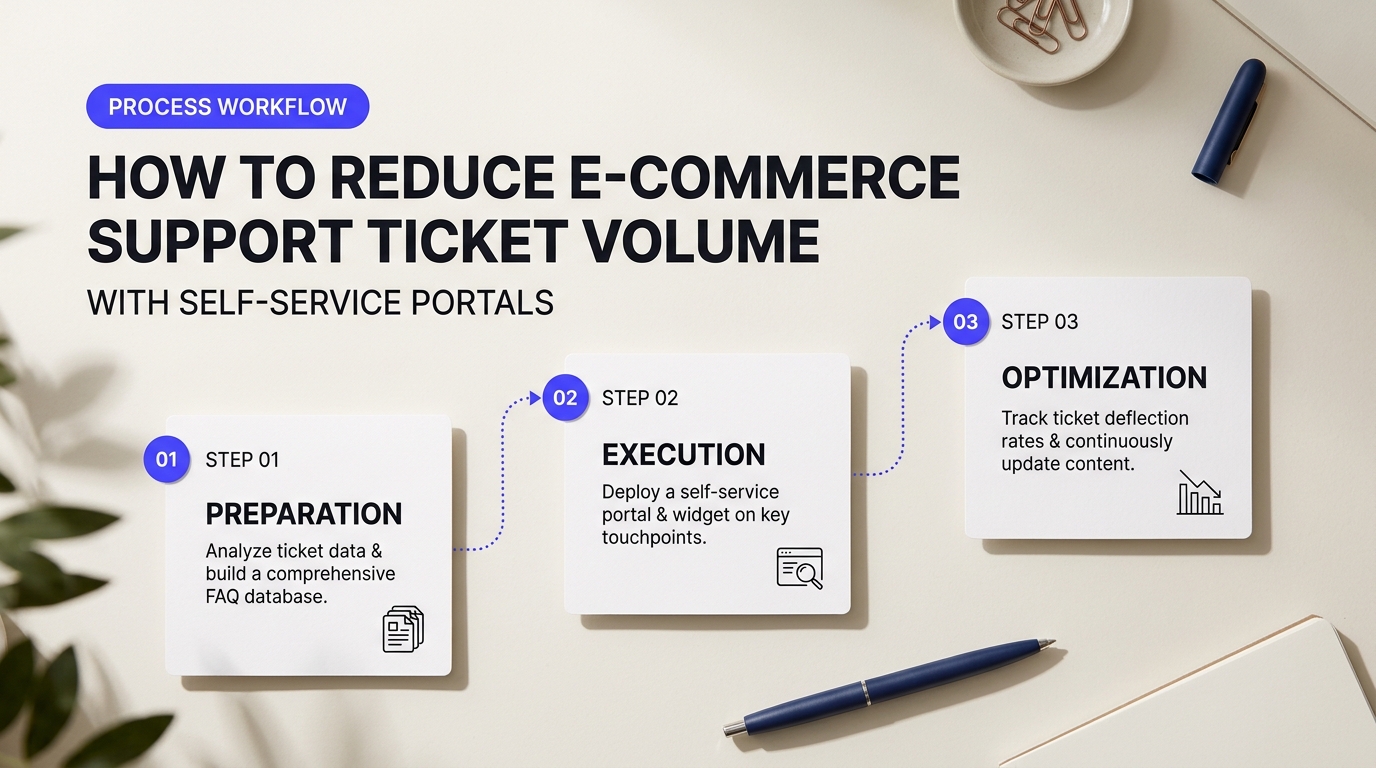
Shoppers want immediate answers. When a buyer needs to change a shipping address or request a return label, opening a manual email thread feels slow. Self-service portals solve this frustration by handing control directly to the buyer.
When built correctly, a customer portal lets buyers help themselves around the clock. Your support desk transforms from a chaotic queue into a quiet command center. Building an efficient self-service ecosystem requires clear planning, simple tools, and a deep understanding of what your customers search for most.
Building a Searchable Knowledge Base That Deflects Queries
A static wall of text on an outdated FAQ page rarely stops a customer from sending an email. Modern shoppers expect search bars with instant predictive text. They want short articles that answer specific questions in seconds.
Structure your knowledge base around real user intent. Group your articles into clear, broad categories like "Shipping & Delivery," "Returns & Exchanges," and "Product Sizing." Use short sentences and plain formatting. If an article takes five minutes to read, your buyer will abandon it and submit a ticket anyway.
Think of your knowledge base as a highway sign. If the directions are unclear, drivers pull over to ask for help. Include screenshots and step-by-step bullet points for multi-step tasks like managing subscriptions or applying promo codes. Embed quick visual guides directly inside help articles to resolve confusion before it starts.
Actionable Strategies to Reduce E-Commerce Support Ticket Volume
To successfully reduce e-commerce support ticket volume, you must move beyond passive reading material and provide active account controls. A self-service portal should allow shoppers to perform common post-purchase edits without waiting on a representative.
- Order Edits: Allow customers to update their shipping address or modify item quantities within a 30-minute window after checkout.
- Automated Returns and Exchanges: Integrate a dedicated return portal where shoppers generate prepaid shipping labels and select replacement items automatically.
- Subscription Management: Give buyers one-click options to skip a monthly shipment, swap product flavors, or update payment details.
Implementing these automated actions eliminates the most frequent routine requests. Store owners often worry about setup time and software fees. However, insights shared in a Quora thread regarding self-service portal ROI highlight that setup hours pay off quickly once manual ticket queues drop by 30% to 50% within the first two months.
Comparing Leading Self-Service Tools: Gorgias vs. Help Scout
Choosing the right platform depends on your tech stack, order volume, and team size. Here is how two top-tier customer service platforms compare when deployed for e-commerce self-service.
| Platform Metric | Gorgias | Help Scout |
|---|---|---|
| Best Suited For | Shopify and BigCommerce stores needing deep cart integration | Growing brands focusing on clean docs and shared team inboxes |
| Self-Service Features | Native order modification widgets, automated tracking, quick return flows | Customizable Knowledge Base (Docs) with pop-up search widgets (Beacon) |
| Setup Complexity | Moderate (requires setting up order data rules and chat macros) | Low (simple user interface with fast documentation builder) |
Gorgias stands out for Shopify merchants because it allows customers to track packages or cancel orders directly inside the chat and help center widgets. Help Scout shines for brands prioritizing clear, human-centered knowledge bases with straightforward doc authoring.
Avoiding Common Self-Service Onboarding Traps
Self-service portals can backfire if implemented poorly. As highlighted in a Reddit thread on portal compliance and edge cases, locking customers inside broken self-service loops creates severe buyer friction.
"If a customer cannot find an answer within 30 seconds, always provide a clear path to contact a real human. Hiding your support email behind complex portal trees ruins trust."
Always test your portal on mobile devices. Over 60% of modern e-commerce traffic comes from smartphones. If your return request button or order lookup widget does not render cleanly on a small screen, shoppers will give up and file a manual support request.
What Is WISMO and How Can You Automate Order Tracking?
WISMO stands for "Where Is My Order?" It sounds simple enough. Yet, these four words make up over half of all incoming messages for growing online stores. When shoppers click the buy button, their excitement quickly turns into anxiety. If they don't get instant, clear updates, they worry. They open live chat windows, send emails, and send direct messages across social channels asking the exact same question.
Think of it like ordering food on a mobile app. When you can watch the map icon move from the restaurant to your street, you sit back and relax. If that screen goes blank, you call the manager. Standard shipping emails that dump customers onto ugly carrier websites like USPS or FedEx often break down. They show vague statuses like "In Transit" for days without extra context. That lack of clear information drives nervous buyers straight to your support team.
Automating Order Status Updates to Reduce E-Commerce Support Ticket Volume
You can eliminate these repetitive inquiries by building a proactive notification system. Instead of waiting for buyers to ask for updates, your system reaches out first. Setting up this automated workflow requires three core tools working together behind the scenes:
- Real-Time Carrier Webhooks: Webhooks connect your store directly to shipping networks. When a package gets scanned at a sorting facility, your store receives the update instantly.
- Branded Tracking Pages: Send shoppers to a tracking page hosted directly on your website instead of a third-party carrier site. Customers check their package status while discovering related products on your store.
- Automated SMS and Email Triggers: Fire off short, helpful messages when an item leaves the warehouse, encounters a shipping delay, or arrives on the doorstep.
Choosing the right software depends on your store size and fulfillment stack. You can review ecommerce shipping automation benchmarks to see how different platforms handle peak shipping spikes. Here is how two top platforms stack up when handling post-purchase communications:
| Feature / Requirement | AfterShip | Malomo |
|---|---|---|
| Core Focus | Global carrier coverage with built-in multi-language detection | Custom Shopify and Klaviyo order tracking experiences |
| Best Suitable For | International stores managing multiple regional delivery services | Growing D2C brands focused on retention and marketing on tracking pages |
| Setup Complexity | Low (fast setup with over 1,000 carrier connections) | Medium (requires basic page design inside your store theme) |
| Pricing Structure | Tiered pricing based on monthly shipment volume | Usage-based plans keyed to order volume |
Before launching these automations, you need to prepare for real-world shipping glitches. As noted by ecommerce merchants discussing order tracking tools, a common mistake happens when software sends shipping emails too early in the process.
"The biggest issue isn't setting up the tool. It's when a carrier prints a label but doesn't scan the box for 48 hours. If your automated email says 'Your order has shipped!' but the carrier page says 'Label Created,' customers panic even faster."
You can solve this issue by triggering your shipping notifications on the carrier's first physical scan rather than the moment your warehouse prints a shipping label. This small change prevents mixed messages and stops panicked buyers from writing in.
Be careful with your SMS alert frequency too. Text messages get opened fast, but sending four or five texts for a single parcel will annoy your customers. Keep SMS alerts focused on major milestones like "Out for Delivery" and "Delivered." Send minor status changes to email or display them on your tracking portal. By switching from reactive support calls to automated status updates, you can systematically reduce e-commerce support ticket volume while keeping buyers happy.
How Do AI Chatbots and Conversational Search Intercept Pre-Purchase Questions?
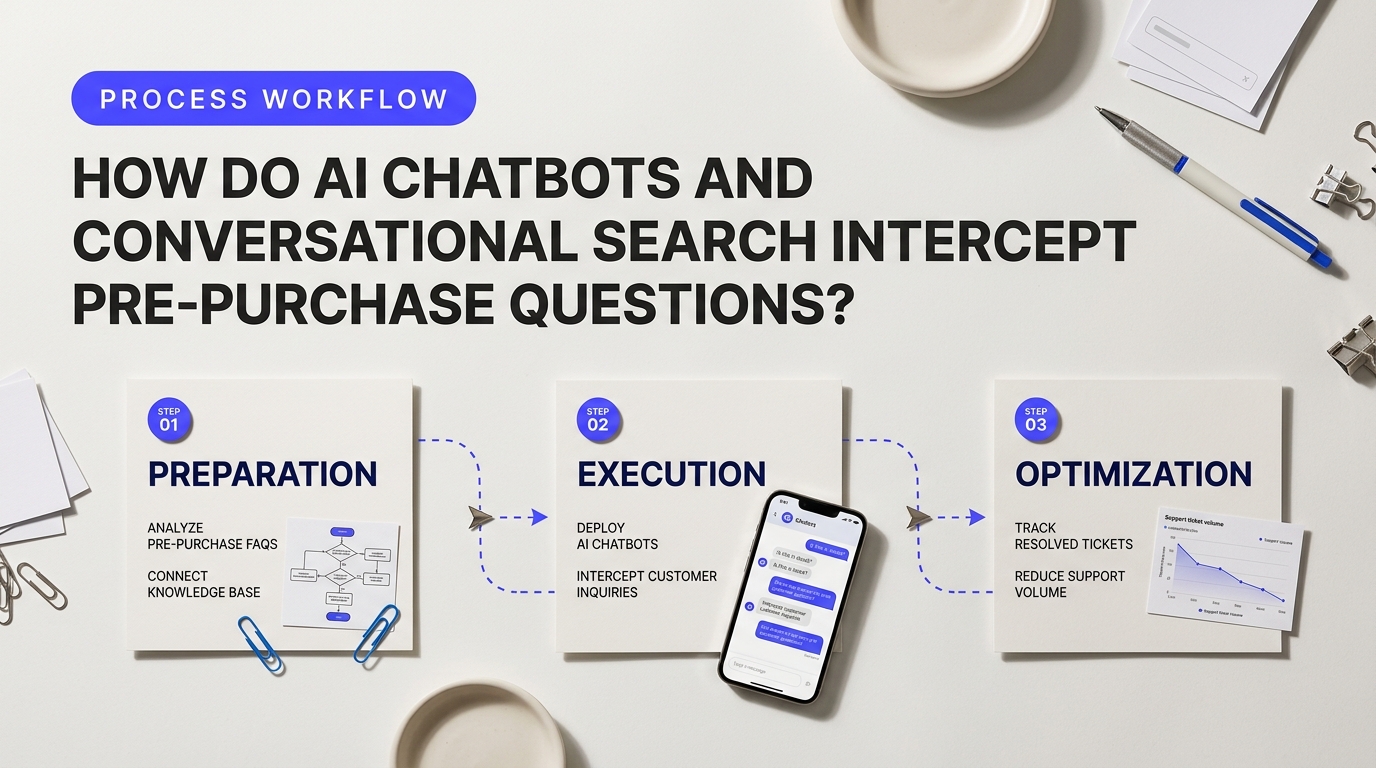
Shoppers hate waiting. If a customer cannot find out whether a dress runs small or if a battery works with their setup within thirty seconds, they do one of two things: leave the site or email customer service. When hundreds of shoppers send those quick questions every day, your help desk gets buried fast.
Deploying intelligent bots and conversational site search changes this dynamic. Think of these tools as digital floor associates working your store aisles around the clock. They answer basic questions right on the product page before a shopper ever opens a contact form, making it much easier to reduce e-commerce support ticket volume without adding headcount.
Intercepting Sizing, Shipping, and Stock Questions in Real Time
Traditional site search is rigid. If a user types "warm waterproof boots for wide feet," old search engines often show zero results because they only look for exact title matches. Modern conversational search powered by engines like Algolia NeuralSearch engine capabilities uses natural language processing to understand customer intent. It scans product descriptions, customer reviews, and technical specifications to show exact matches immediately. When shoppers get instant answers directly in their search results, they do not need to ask your support team for help.
Smart chatbots take this dynamic further through event-triggered prompts. If a user stays on a checkout page for more than twenty seconds or hovers over the shipping policy link, an AI assistant pops up proactively. It can pull live stock levels straight from your store backend or calculate exact delivery dates based on the buyer's zip code.
Comparing AI Chatbots and Conversational Search Capabilities
| Feature / Metric | AI Chatbots (e.g., Gorgias AI Agent) | Conversational Search (e.g., Algolia) |
|---|---|---|
| Primary Role | Direct interactive Q&A and proactive popups. | Semantic product discovery and instant filtering. |
| Best Pre-Purchase Query Handled | Shipping timelines, warranty rules, custom fit advice. | Spec matching, inventory lookups, product compatibility. |
| Average Setup Time | 1 to 3 days using pre-built store integration apps. | 1 to 2 weeks for custom index mapping and tuning. |
| Ticket Interception Rate | 30% to 45% of pre-sale live chat requests. | 15% to 25% of general inquiry contacts. |
A major concern among store owners discussing AI chatbot pre-purchase query interception on Reddit centers on output accuracy and setup costs. Is AI really worth the ongoing subscription price? For most growing brands, the numbers make sense quickly. Tools like Gorgias customer service automation automate up to half of repetitive pre-sale chats out of the box, saving dozens of manual support hours each week.
Evaluating Costs, Limitations, and Implementation Traps to Reduce E-Commerce Support Ticket Volume
"AI bots are only as smart as your knowledge base. If your product specs are missing or vague, the bot will either guess wrong or pass the ticket straight to a human agent anyway."
Do not expect AI tools to fix broken store data. If your size charts are incomplete or your shipping policies are buried in vague terms, an AI bot will struggle. It might give incorrect advice or continuously hand off conversations to your live team, defeating the whole purpose of automation.
Avoid these three common pitfalls during rollout:
- Hallucinations from weak data: Feed your AI agent clean FAQ documents and verified product attributes. Never let it generate unverified answers about return policies or technical specifications.
- Over-aggressive chat popups: Triggering a chat window the instant someone lands on your homepage annoys visitors. Set triggers for high-intent actions, like clicking size guides or spending extended time on shipping pages.
- Hidden escalation barriers: Always give customers a clear option to reach a human support rep. Obstructing access to live agents creates frustrated customers who leave bad reviews.
Basic AI chatbot add-ons start around $50 to $300 a month for small e-commerce stores. Enterprise search and conversational AI stacks scale higher, ranging from $500 to over $2,000 monthly based on search query volume. When configured correctly, the savings from deflected support tickets easily offset these software expenses.
Why Are Detailed Product Descriptions and Visual Guides Essential for Ticket Reduction?
Shoppers can't touch your products before buying them. They can't feel the fabric thickness, test the assembly strength, or check if a bookshelf will clear their ceiling. When your product pages leave room for guesswork, customers vent their frustration directly into your support queue. They send pre-sale tickets asking for exact measurements or submit return requests because the item didn't match their expectations.
Upgrading Product Content to Reduce E-Commerce Support Ticket Volume
Many store owners wonder if spending time on detailed sizing and video guides pays off. A common question across e-commerce operator threads discussing guide ROI is whether high-production media actually lowers manual workload. The answer comes down to preventive support. Answering a fit question once on the product page prevents thousands of identical tickets down the road.
When you optimize your product detail pages with precise specifications, you directly reduce e-commerce support ticket volume by cutting off confusion at the source. Generic "small, medium, large" charts don't cut it anymore because every brand cuts fabric differently. Integrating dynamic sizing calculators like Kiwi Sizing interactive chart tools lets shoppers input their body measurements and fit preferences. This simple widget resolves buyer hesitation instantly and eliminates post-purchase fit complaints.
Key Content Formats That Prevent Support Inquiries
Different products suffer from different types of buyer confusion. Matching the right content format to your specific product complexity yields the highest return on investment.
| Content Tool Category | Industry Solution | Primary Ticket Reduction Impact | Setup Effort |
|---|---|---|---|
| Sizing & Fit Engines | Kiwi Sizing | Stops apparel fit questions and sizing returns | Low (No-code template integration) |
| Visual Guides & Shoppable Video | Videowise | Prevents assembly errors and operation confusion | Medium (Requires video recording) |
| Spatial & AR Visualization | Tangiblee | Eliminates dimension guesswork for home decor and furniture | Medium (Uses existing 2D product images) |
Complex items need simple visual explanations. If you sell hardware, furniture, or consumer electronics, dense text manuals often fail. Customers get frustrated, assemble parts backward, and email your team out of anger. Replacing paper instructions with 30-second video guides stops this issue immediately. Video platforms like Videowise let you embed interactive clips right where shoppers look for help, keeping site speed fast while providing total clarity.
Field Pro Tip: Audit your last 500 support tickets. Look for recurring questions containing phrases like "how do I turn on," "what are the exact dimensions," or "is this compatible with." Copy those exact customer phrases and turn them into clear subheadings or bullet points on your product pages.
Downloadable PDF manuals work wonders for technical products, but they must be easy to find. Place downloadable spec sheets right next to the main buy button. When buyers have full access to dimension diagrams, care guides, and step-by-step setup clips, your help desk transitions from answering basic repetitive queries to handling high-value sales assistance.
How to Use Automated Transactional Email Sequences to Answer Customer Questions Early
Think of post-purchase emails like flight attendants giving a safety briefing. If they explain where the emergency exits are before turbulence hits, passengers stay calm. Most store owners treat receipts like boring digital stubs. They send a plain order confirmation and go quiet until carrier pickup. That silence creates anxiety. Anxiety drives customers to type out frustrated messages.
You can stop those inbox surges before they start. When you build smart email flows that trigger based on order milestones, you feed customers answers before they even think to ask.
Designing Post-Purchase Email Flows to Reduce E-Commerce Support Ticket Volume
We've seen stores cut repetitive inbox queries by up to 40% simply by tweaking three specific post-purchase messages.
- The "What Happens Next" Confirmation: Don't just list bought items and total cost. Include a simple visual timeline showing packing times, shipping windows, and carrier hand-off dates. If your warehouse takes two days to pack custom items, say so clearly.
- The In-Transit Milestone Update: Carriers frequently alter delivery dates. When a package sits in a hub for 48 hours without a scan, buyers assume it's lost. Set up automated status updates triggered by carrier tracking data. If a package meets a delay, email the buyer automatically before they notice.
- The Day-of-Delivery Care Guide: Preempt product setup confusion by triggering a practical guide the day carrier data confirms delivery. If you sell apparel, send washing instructions. If you sell gadgets, send a quick 60-second video link showing initial setup.
Let's look at how top automated email platforms stack up when building these proactive sequences:
| Platform | Primary Strength | Setup Effort | Estimated Pricing |
|---|---|---|---|
| Klaviyo | Deep store integration and SKU-level flow triggers. | Moderate (1–2 days) | Tiered by subscriber volume (Starts free; $30–$150+/mo). |
| Wonderment | Dedicated shipment tracking pages and carrier delay alerts. | Low (2–4 hours) | Starts around $99/mo based on monthly order volume. |
A frequent topic in SaaS community discussions on automated transactional sequences asks whether specialized post-purchase software is actually worth the monthly subscription fee for small teams. The answer depends on your monthly order count. If your team spends ten hours a week answering "Where is my order?" or "How do I wash this?", paying for an automated flow yields an immediate return on investment.
You must watch out for common technical traps. Sending setup emails too early makes your store look sloppy. If a shipping carrier marks a package as delivered when it was actually left with a neighbor, an instant automated email asking "How do you like your product?" sparks an angry support ticket. To fix this, build a 4-hour delay buffer between carrier delivery pings and your unboxing emails. You can read more about these operational edge cases in Reddit discussions on transactional email compliance traps.
Pro Tip: Keep transactional messages strictly focused on order information. Don't crowd them with aggressive cross-sell promotions. Mixing heavy sales pitches into shipping alerts can trigger spam filters and land your updates in the Promotions tab.
Evaluating options requires testing email layout across mobile devices. Tools like Klaviyo allow you to build rules based on item tags, ensuring a customer who buys a delicate silk dress receives different care instructions than someone who bought a canvas bag. If your goal is to reduce e-commerce support ticket volume, sending product-specific instructions right as orders land on doorsteps is the single fastest win available.
What Root-Cause Ticket Audits Prevent Recurring Support Bottlenecks?
Think of your customer support inbox as a smoke detector. When a customer emails saying their discount code failed, that's smoke. You can keep manually handing out 10% refund credits to quiet them down, or you can fix the broken checkout code causing the error. Root-cause ticket audits shift your team from putting out fires to stopping arson. By examining the exact underlying reasons people contact you, you spot broken website code, clarify confusing sizing guides, and catch warehouse packing mistakes before they ruin hundreds of orders.
Auditing Root Causes to Reduce E-Commerce Support Ticket Volume
Most store owners try to classify incoming help requests with basic tags like "Refund" or "Shipping." That's far too vague to help your operations team. If you want to reduce e-commerce support ticket volume, you need two-tier tagging. The first tier identifies the general department (e.g., Product Quality), while the second tier pinpoints the precise operational failure (e.g., *Sizing Chart Inaccurate - Shoes Run Small*). When your team logs issues with this level of detail, actionable patterns jump out immediately. If 40 customers write in about shoe sizes over three days, you don't need a complex audit—you just need to edit one sentence on your product page.
| Audit Method | Setup Time | Data Accuracy | Best For | Estimated Monthly Cost |
|---|---|---|---|---|
| Manual Agent Tagging | 0 Hours | Moderate (Human error risk) | Bootstrapped stores (<500 tickets/mo) | $0 (Internal labor) |
| Gorgias Native Intent Tagging | 1-2 Hours | High (Rules + Native AI) | Growing Shopify & BigCommerce brands | $50 - $300/mo |
| Enterpret / AI Analytics | 3-5 Hours | Very High (Automated NLP Clustering) | High-volume enterprise stores | $500+/mo |
Choosing between manual workflows and automated software depends on your ticket scale. Store owners debating setup costs often visit the Reddit SaaS root-cause audit discussion to see how manual tagging compares to AI tools. A common pitfall with manual setups is "tag bloat." When agents must pick from 150 confusing categories, they guess randomly. That ruins your metrics. Keep your tag list under 25 tightly defined operational categories so your team tags items accurately without slowing down response times.
Uncovering broken processes is only half the battle. You must build a quick feedback loop between customer support, product managers, and warehouse logistics. Support teams rarely have the technical permission to fix website code or swap out carrier services. We recommend running a weekly 15-minute operational sync with department heads. Bring three simple data points to every meeting:
- The Primary Friction Point: The single tag responsible for the highest ticket count that week.
- The Direct Financial Impact: Total costs incurred from agent handling time, return shipping labels, and product concessions.
- The Suggested Fix: A concrete operational change, such as updating an FAQ, updating stock levels, or rewording a transactional email.

"We realized 18% of our shipping tickets were caused by a single line in our order confirmation email that gave an outdated delivery estimate. We changed the text in five minutes and cut hundreds of weekly tickets instantly."
Fixing issues at the source creates permanent relief for your support queue. Operators checking out a comparative root-cause analysis tool guide find that automated intent classification saves reps 5 to 10 hours a week on basic data entry. We've seen brands cut up to a quarter of their total inbox traffic within two months just by fixing three misleading product descriptions and repairing a broken tracking link. That is how fast-growing stores continuously reduce e-commerce support ticket volume while keeping customer satisfaction high.
Building a Scalable, Low-Touch E-Commerce Support Architecture
Scaling an online store shouldn't mean doubling your support team. You can't hire your way out. Operating margins shrink too fast when every customer question requires human touch. Building a low-touch support stack shifts your team from reactive firefighting to proactive customer empowerment. When you integrate self-service tracking, clear visual fit guides, and automated email updates, customer confidence rises. Most importantly, you systematically reduce e-commerce support ticket volume while giving your support staff room to solve complex, high-value customer problems.
Store owners often wonder if automating customer service is worth the setup cost. Small brands frequently ask whether software subscriptions generate real return on investment. Dedicated e-commerce helpdesks like Gorgias start around $10 to $60 per month for basic tiers, whereas enterprise platforms like Zendesk cost significantly more once you factor in custom API integrations and longer setup times. Gorgias connects natively to platforms like Shopify and BigCommerce out of the box, letting you automate up to 30% of repetitive WISMO ("Where is my order?") tickets right away. If you run a smaller store, starting with built-in platform tools and targeted auto-responders delivers immediate cost savings without complex technical hurdles.
"Automation works best when it removes friction, not human access. The moment a customer feels trapped by a bot, your brand trust plummets."
Automation isn't a silver bullet. If you lock your support flow behind overly rigid chatbots, customers get angry. Store owners sharing edge cases in support architecture implementations highlight how poor bot handoffs create frustrated shoppers who abandon their carts. Never completely hide your human support options. Instead, use intelligent intent detection to answer basic shipping or return questions instantly, while keeping a visible escape hatch to a live agent for edge cases. Reviewing customer ticket trends weekly helps you fix confusing product descriptions before they turn into repetitive inquiries.
A successful low-touch architecture protects your team from chronic burnout. Agent turnover drops when representatives spend their shifts building genuine customer relationships instead of pasting tracking links eight hours a day. Benchmark your success by watching your first-response time drop and your resolution rate climb. Check out this e-commerce support benchmark guide to see how leading brands maintain high customer satisfaction scores while cutting incoming ticket rates in half.
Start small today. Pick your top three ticket drivers—usually shipping status, return policies, or size questions—and build automated self-service paths for those exact touchpoints. As your order volume grows, your support infrastructure will scale effortlessly without draining your operating budget. By choosing the right mix of clear product information, automated updates, and smart helpdesk tools, you reduce e-commerce support ticket volume permanently while turning customer service into a growth engine for your brand.