
Guide to AI Product Photography for E-commerce
Running an online store used to mean renting expensive studios, shipping physical samples, and waiting weeks for edited photos. Not anymore. Modern online brands are actively adopting ai product photography for e-commerce to transform how they create visual content. In this complete guide to AI product photography for e-commerce, we'll show you how simple digital rendering software replaces costly lightboxes, complex logistics, and tight photographer schedules.
Table of Contents
- Transforming E-Commerce Visuals with AI Technology
- What Is AI Product Photography for E-Commerce and How Does It Work?
- Why Traditional Studio Shoots Are Being Replaced by AI Tools
- How to Generate High-Converting AI Product Photos in 5 Steps
- Which Product Categories See the Highest ROI from AI Generation?
- How Does AI Product Photography Impact E-Commerce Conversion Rates?
- What Are the Main Limitations of AI Imagery and How Do You Fix Them?
- How to Maintain Brand Consistency Across AI Visual Campaigns
- Building a Future-Proof E-Commerce Visual Strategy
Traditional photography costs a fortune. You pay for models, studio rentals, props, and retouchers. A single catalog shoot can easily swallow thousands of dollars. Worse yet, if you launch a new color variation next month, you start the whole cycle over again. Small businesses often get priced out before they even get off the ground.
AI tools change the math completely. Software platforms like Pebblely and Photoroom let you take a plain smartphone photo of your product and place it in virtually any realistic scene within seconds. Want your skincare bottle sitting on a sunlit marble counter? Or maybe resting on a mossy stone near a waterfall? You just type a quick prompt or pick a background theme. It's that simple.
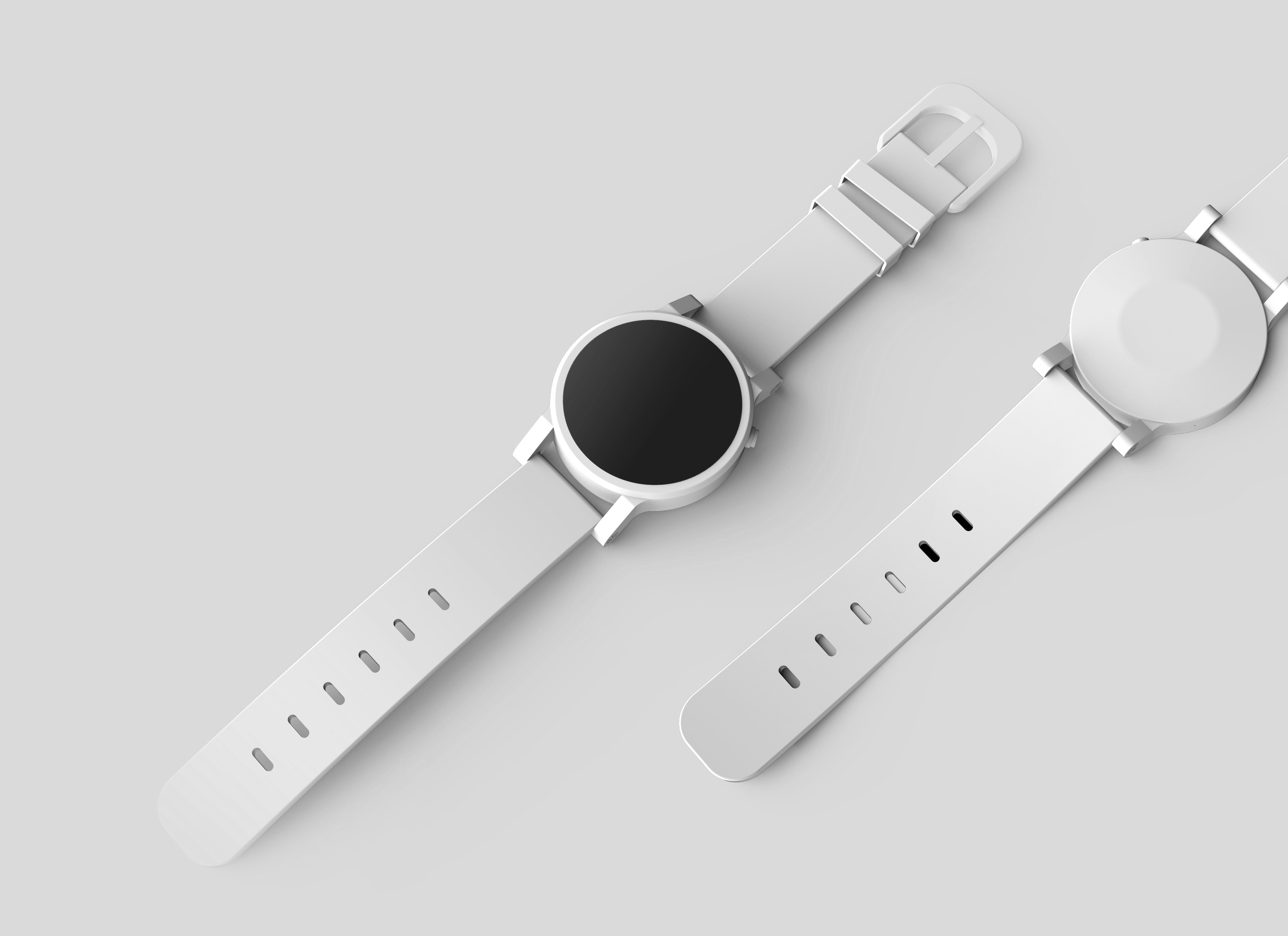
We've seen growing interest in this shift across merchant communities. Many store owners ask if the output quality really holds up against manual studio photography. On e-commerce founder discussions about AI rendering workflows, users frequently compare image generation speed, shadow accuracy, and overall subscription pricing. While early tools generated glitchy edges, current AI generators accurately match lighting, shadows, and reflections to make products blend seamlessly into virtual environments.
The financial payoff is massive. Instead of spending $100 per image, brands now create professional assets for pennies per render. You can test dozens of ad creatives in an afternoon. You can tailor product backgrounds for seasonal campaigns without shipping a single box. By replacing slow logistics with instant generation, ai product photography for e-commerce gives small store owners the same visual punch as global enterprise brands.
What Is AI Product Photography for E-Commerce and How Does It Work?
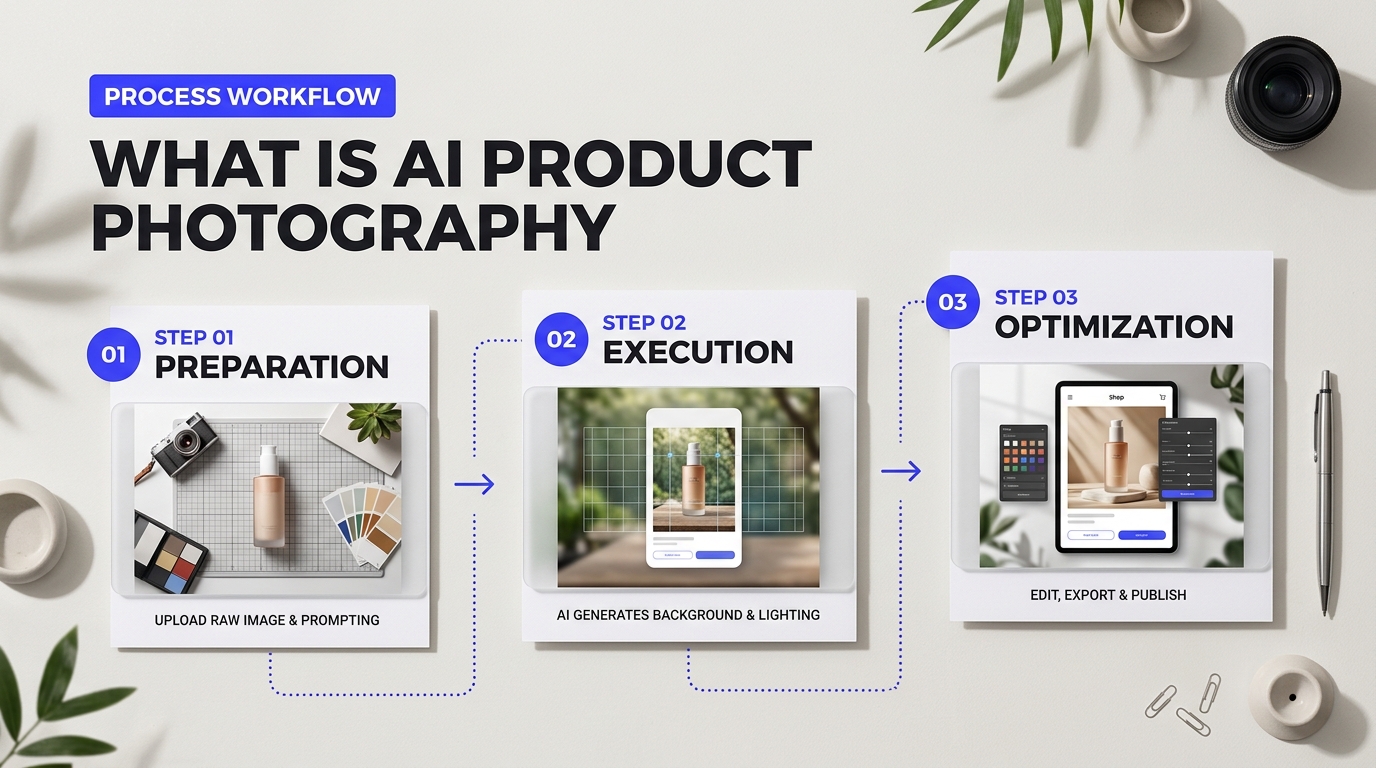
Imagine taking a quick photo of a ceramic mug on your kitchen table using an iPhone. Five seconds later, that mug sits on a sunlit oak desk next to a steaming espresso and a soft woolen blanket. You didn't hire a prop stylist. You didn't set up softbox lights. Software did the heavy lifting.
At its core, ai product photography for e-commerce relies on smart computer systems that rewrite how online stores build visual assets. Instead of booking physical studios, brands use generative software to craft studio-quality background scenes around raw item photos. The tech isolates your physical product, interprets its texture and lighting, and then constructs a completely custom background environment tailored to your buyer persona.

How AI Product Photography for E-Commerce Processes Snapshots
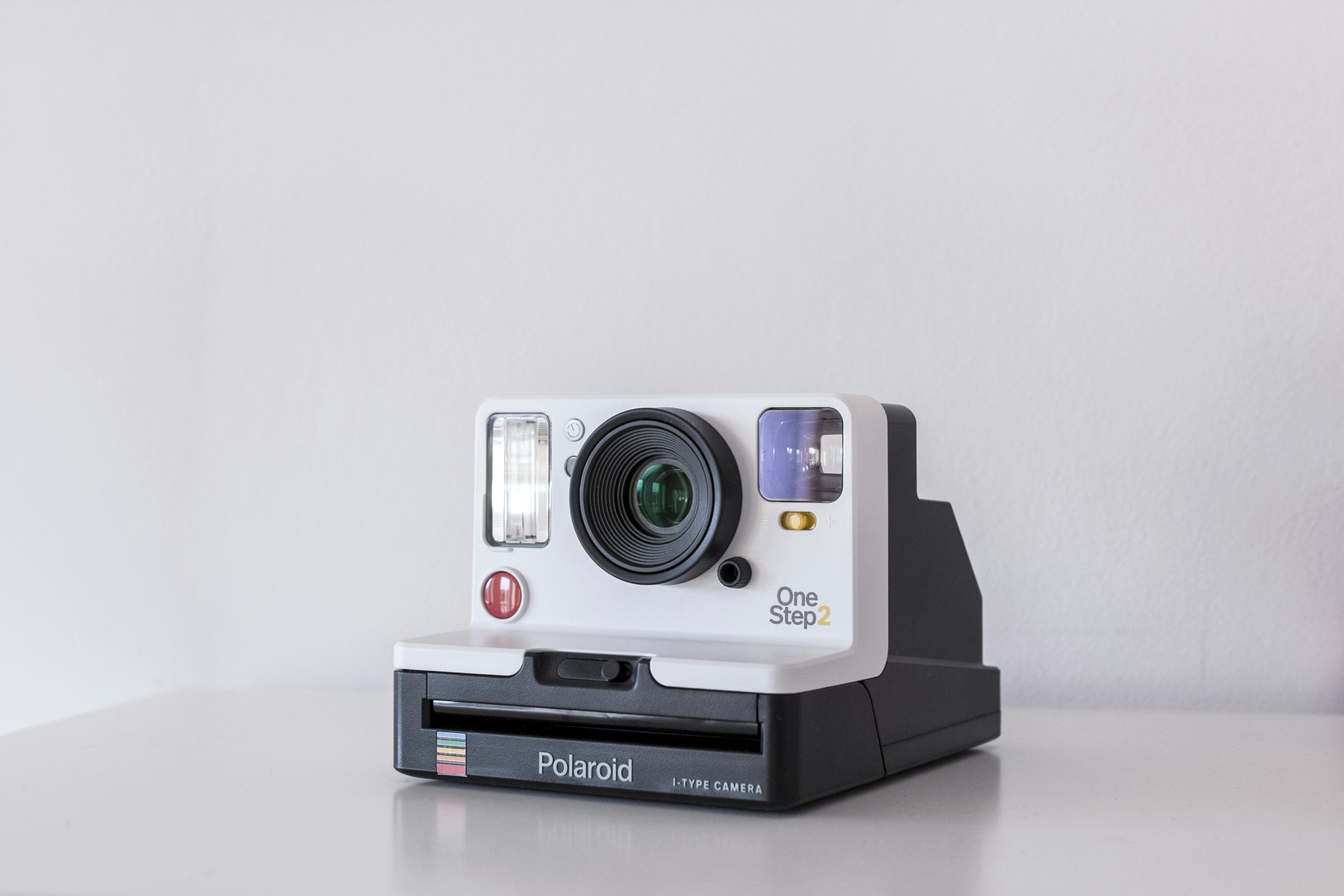
How does the software turn a flat phone photo into a high-converting lifestyle asset without warping your item? It relies on three primary technical phases working together in real time.
1. Instant Background Isolation (Segmentation)
The tool first scans your upload to find precise product boundaries. Think of it like a pair of hyper-accurate digital scissors. Older background removers left jagged edges or chopped off thin straps on handbag photos. Modern algorithms detect tiny details like stray threads, transparent glass edges, and fuzzy sweater textures so the item stays completely intact.
2. Scene Synthesis (Diffusion Models)
Next comes scene generation powered by diffusion models. Imagine starting with a screen full of static television noise. The computer slowly cleans up that noise step-by-step, guiding the image to match a prompt like "a wooden coffee table near a bright window." Because the system knows where your product sits, it builds the room around it rather than painting over it.
3. Shadow and Lighting Matching
Floating products ruin buyer trust faster than bad reviews. To fix this, platforms like Photoroom and Pebblely use smart lighting projection. The tool calculates where the light in the generated background comes from—say, top-left morning sun—and draws realistic drop shadows under your item. It even adds soft color reflections on glossy surfaces.
"The secret isn't just swapping backgrounds. It's convincing the customer's brain that the product actually lived in that room when the camera shutter clicked."
Comparing Traditional Editing Workflows with AI Platforms
Store owners often debate whether switching to automated image tools pays off. Many ask on forums about setup speed and real-world rendering quality compared to hiring freelance editors. Here is how standard manual work compares to modern generative software.
| Workflow Metric | Manual Photoshop Workflow | Generative AI Software (e.g., Photoroom, Flair.ai) |
|---|---|---|
| Turnaround Time | 24 to 48 hours per batch | 5 to 15 seconds per image |
| Average Cost | $15 – $50 per retouched photo | $0.05 – $0.20 per generated photo |
| Skill Barrier | Requires photo editing expertise | Zero design skills needed |
| Lighting Consistency | Depends entirely on editor skill | Automated lighting and shadow sync |
While speed and low costs make these platforms attractive, store operators frequently run into specific challenges. In Reddit discussions on AI visual edge cases, sellers often note that highly reflective surfaces like chrome watch faces or clear wine bottles require fine-tuning. If you don't adjust prompt settings, early iterations might smudge reflective logos or blur fine print.
To avoid those traps, top platforms let users mark protected zones on the product photo. The software locks down your brand logo, label text, and exact product geometry while giving the AI total freedom to generate surrounding props and backdrops. This blend of strict original detail and flexible background generation is why adoption is soaring across retail verticals.
We've reached a point where small store teams can launch full seasonal campaigns in an afternoon. According to recent industry benchmarks for automated visual creation, brands using these generation platforms cut their photography budgets by up to 80% while keeping visual standards high enough to boost overall store conversions.
Why Traditional Studio Shoots Are Being Replaced by AI Tools
Renting a photography studio is exhausting. You pack product samples, ship them across the country, hire lighting crews, and pray the weather holds up for outdoor shots. A single product launch ends up eating half your quarterly marketing budget before your first ad even goes live. Taking one clean picture on your desk and generating fifty studio-grade scenes during your morning coffee break completely transforms that dynamic. That stark contrast explains why growing brands are walking away from physical camera setups.
Physical photoshoots lock you into a rigid process. When you book a traditional camera crew, you pay for location rentals, lighting setups, prop styling, and post-production retouching before receiving a single finalized image. If a competitor launches a surprise flash sale, you can't react quickly because your visual assets are stuck in a three-week production pipeline.
Financial and Speed Advantages of AI Product Photography for E-Commerce
Evaluating synthetic generation against physical shoots comes down to how your business manages key operational resources. Adopting ai product photography for e-commerce eliminates those costly logistical bottlenecks while expanding your creative flexibility.
| Resource Benchmark | Traditional Studio Shoot | Synthetic AI Generation |
|---|---|---|
| Cost Per Asset | $150 – $500+ per finished photo | $0.05 – $2.00 per finished photo |
| Time-to-Market | 3 to 6 weeks from booking to final delivery | 10 to 15 minutes per batch |
| Visual Variations | Limited to pre-planned set buildouts and angles | Unlimited backgrounds, props, and lighting styles |
| Seasonal Flexibility | Requires booking brand-new shoots every season | Instant scene and background adjustments via prompts |
Is synthetic image generation perfect right out of the box? Not always. As store owners discussing photography rendering benchmarks often point out, early tools struggled with drop shadows and reflective surface textures. If your product is a high-gloss glass bottle or polished metal ring, basic image generators can blur brand text or warp straight lines.
Modern specialized platforms like Flair AI and Photoroom solve this issue by isolating your original product layer. They lock your label text and real geometry in place while generating hyper-realistic environments around it. You get accurate studio lighting and shadows without sacrificing brand accuracy.
Visual variety becomes practically infinite once you make the switch. In a physical studio, changing a backdrop from a rustic wooden tabletop to a sleek marble surface means tearing down the entire physical set. With ai product photography for e-commerce tools, swapping backdrops takes a few seconds and a short text prompt.
"We used to spend over $10,000 every spring just to shoot our outdoor gear line in mountain settings. Now we take clean baseline photos in our warehouse and generate authentic desert, forest, and alpine scenes on demand."
Seasonal pivots also become effortless. When autumn arrives, you don't need to ship product samples to a new location. You simply swap your summer beach prompt for warm fall leaves and golden-hour sunlight. That agility keeps your store visuals fresh year-round without burning through your cash flow.
How to Generate High-Converting AI Product Photos in 5 Steps
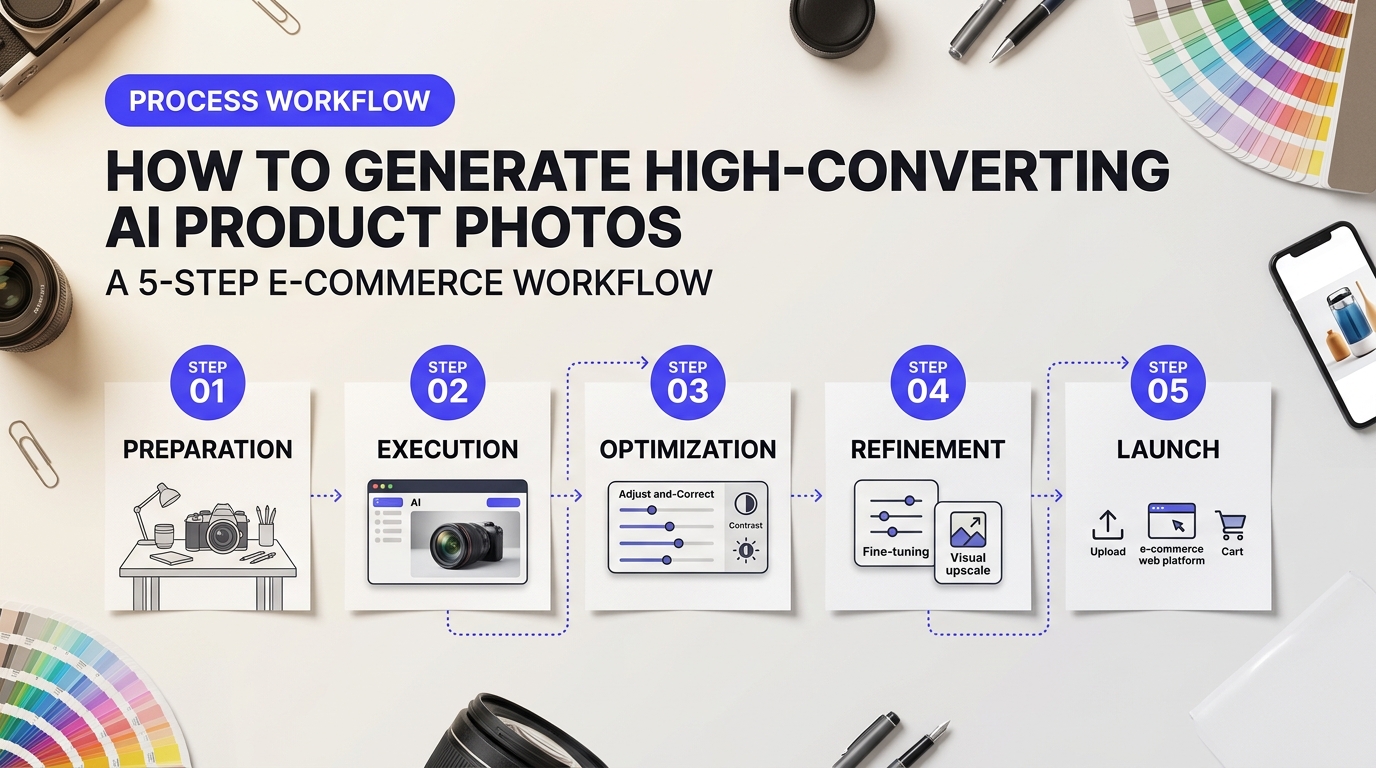
Generating professional visual assets for your online store no longer requires a five-thousand-dollar studio budget. You can turn standard smartphone shots into high-converting lifestyle images in under ten minutes. Store owners often worry about synthetic images looking fake or altering their physical items. We've mapped out a simple, repeatable workflow that preserves product details while delivering studio-grade backgrounds.
Step 1: Capture a Clean Base Photo
Start with a crisp source image. Think of your base photo as a vinyl cutout sticker. If the edges are blurry or ragged, it won't peel away cleanly from the background later.
Place your item on a flat surface in a brightly lit room. A plain white poster board works best for this background. Avoid harsh direct sun that creates dark shadows. Use soft, indirect window light instead. Keep your phone lens clean and hold it steady at eye level. Don't worry about artistic background props yet; your primary goal is crisp edge definition and neutral lighting.
Step 2: Selecting Software for AI Product Photography for E-Commerce
Not all tools process images the same way. You need software specifically built to lock your physical product into place while rendering new environments around it.
Platforms like Flair.ai and Pebblely excel at keeping your original item untouched while building realistic surfaces underneath. Generative engines built for pure artwork often distort product labels or change item shapes. Store owners participating in discussions on e-commerce workflow automation frequently emphasize that dedicated generators save hours compared to general art generators.
| Platform Type | Best Use Case | Key Advantage |
|---|---|---|
| Dedicated Product Generators (e.g., Pebblely, Flair.ai) | Fast lifestyle rendering | Preserves original product labels and shapes without distortion |
| General Prompt Engines (e.g., Midjourney) | Creative mood board concepts | High artistic textures, but requires careful masking to protect logos |
Step 3: Craft Environment Prompts That Sell
Your prompt tells the engine where your product lives. Focus on surface material, background lighting, and context.
Instead of typing "a bottle on a table," describe the scene like a photo director. Use specific phrases like "placed on a light oak wooden coffee table, soft morning sunlight casting long shadows, cozy Scandinavian living room out of focus in the background." This contrast between a razor-sharp product and a slightly blurred backdrop creates natural depth of field. Depth of field draws the shopper's eye directly to your item.
Step 4: Fix Lighting, Scale, and Surface Reflections
Lighting mistakes ruin visual realism fast. Shadows must match light sources.
If your background features sunlight coming from the left, your product cannot cast a shadow toward the left. Adjust the scale of surrounding objects so your product looks natural. A small face cream container shouldn't look larger than an adjacent coffee mug. Fine-tune contact shadows where the bottom of your item meets the surface. Effective ai product photography for e-commerce relies heavily on these micro-details to convince buyers the shot was taken in a physical space.
Step 5: Execute Final Quality Control
Never publish a generated visual without a close-up check. Zoom in to 200 percent magnification along product edges and text labels.
"The biggest edge case we hit was small blur spots along fine text labels. Always check your logo at maximum zoom before running ad campaigns."
— Insight from e-commerce marketing discussions on edge case pitfalls
Run through these essential checks before uploading photos to your site:
- Text Integrity: Ensure brand names and ingredients remain crisp and fully legible.
- Edge Fidelity: Look for strange color halos around the outline of your physical item.
- Proportion Accuracy: Verify the product sits firmly on the surface rather than floating.
- Color Matching: Confirm the product's digital color matches what customers receive in the mail.
Which Product Categories See the Highest ROI from AI Generation?
Highest-Yield Niche Assets in AI Product Photography for E-Commerce
Not every product yields identical returns. Some store items save thousands of dollars in studio fees overnight. Others take careful prompt tuning to avoid artificial smudging. When you implement ai product photography for e-commerce, understanding where your catalog sits on the ROI spectrum helps you prioritize which SKUs to upload first.
High-volume sellers with simple shapes usually see the fastest paybacks. Let me walk you through how performance breaks down across top retail categories.

1. Packaged Consumer Goods (CPG) & Food
Packaged goods score the absolute highest return on investment. CPG boxes, tub containers, and cans have predictable geometric lines. AI background engines lock onto those solid edges instantly. You don't need expensive photo props like fresh fruit, cutting boards, or rustic kitchen tables for every flavor variation. Generating dozens of seasonal backgrounds for a granola brand takes minutes in tools like Flair.ai or Pebblely. Store owners save huge sums by shooting one white-background product render and generating hundreds of contextual scenes.
2. Beauty and Cosmetics
Cosmetics rely heavily on mood and luxury framing. Studio shoots for lipstick tubes and face creams require elaborate lighting rigs, pastel pedestals, and smooth acrylic surfaces. Generative tools replace those physical setups effortlessly. Placing a skin serum on a wet river stone surrounded by monstera leaves used to take a full day of set design. Now, you paste your bottle image into a generator, type your scene prompt, and get high-converting hero images instantly.
3. Home Decor and Furnishings
Renting staging houses or building mock living rooms burns cash fast. Furniture and decor brands gain massive efficiency by placing digitally cut-out rugs, lamps, and wall art into full room renders. You get to present your products inside cozy modern farmhouses or sleek minimalist apartments without moving physical inventory. The main trick here is scaling. Make sure your prompt specifies accurate proportions so a coffee table doesn't look tiny next to a synthetic sofa.
4. Apparel and Fashion Accessories
Apparel is a mixed bag. Flat lays, shoes, handbags, and sunglasses perform exceptionally well with prompt-based backdrops. Leather bags pop beautifully against stone textures or city street backgrounds. However, ghost mannequins and full-body model swaps require dedicated platforms like Botika to avoid strange fabric distortions around seams.
| Retail Category | Recommended Visual Setup | Generation Difficulty | Typical Cost Savings |
|---|---|---|---|
| CPG & Packaged Goods | Marble countertops, rustic wood, kitchen pantries | Low | 70% - 85% |
| Beauty & Skincare | Pastel pedestals, botanical leaf shadows, water ripple surfaces | Low to Medium | 65% - 80% |
| Home Decor | Sunlit living rooms, architectural niches, cozy reading corners | Medium | 60% - 75% |
| Fashion Accessories | Urban pavement, concrete blocks, textured linen tablecloths | Medium | 50% - 70% |
| Fine Jewelry | Velvet cushions, soft reflective slate, focused spot lighting | High | 30% - 50% |
Handling Optical Challenges: Glassware, Metals, and Liquids
Reflective materials create real edge cases in digital generation. Store owners frequently post about blurred edges on transparent bottles or metallic surfaces that absorb synthetic backgrounds unnaturally. As highlighted in recent marketing discussions on AI image edge cases, light bends through real glass, but simple background generators often treat bottles like solid opaque cutouts.
"When we first tried rendering our gin bottles, the background didn't refract through the clear liquid. It looked like a cheap sticker pasted on a stock photo. We had to change our workflow to protect transparency."
To overcome refraction issues, don't rely on basic single-click background generators for clear or metallic products. Follow these practical steps to maintain studio quality:
- Preserve Natural Shadows: When shooting your original source picture, capture a clean base shadow on a white card. Lock that original contact shadow into your generator instead of letting the algorithm invent a new shadow from scratch.
- Separate Glass Layer Transparency: Cut out your glass container using a soft-edge alpha mask. Keep the liquid volume on a semi-transparent layer so generated background colors show through the liquid slightly.
- Fix Metallic Reflections: Chrome and gold reflect their environment. If your gold watch was shot in a white studio tent, placing it on a dark wood background creates a visual clash. Use Adobe Photoshop Generative Fill or similar retouching engines to brush subtle environmental colors onto the metal highlights.
If you're weighing different workflow software for your catalog, check out this comparative study of AI photo tools to see which options handle complex transparency best. Taking a hybrid approach—combining clean base photos with smart background generation—delivers polished visuals across even the hardest product categories.
How Does AI Product Photography Impact E-Commerce Conversion Rates?
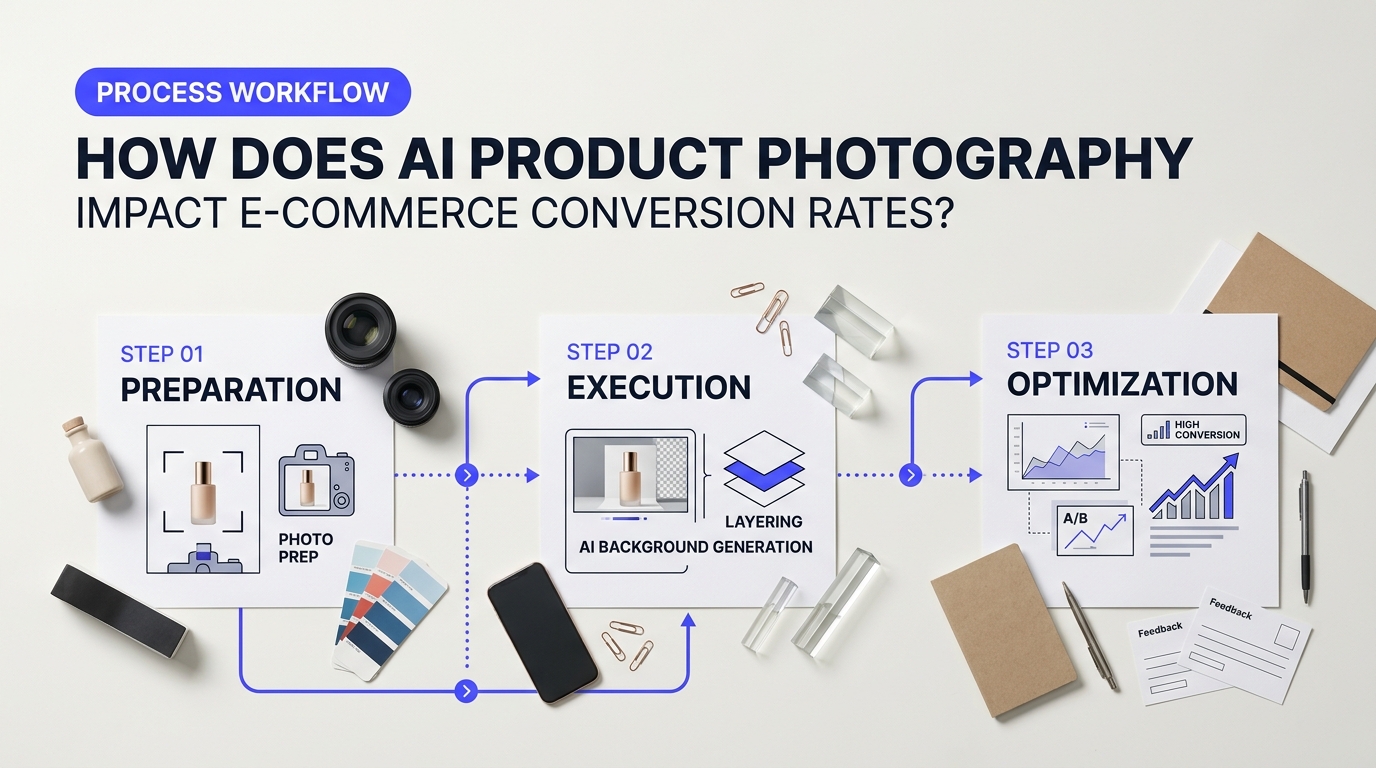
Shoppers don't just buy a product; they buy the feeling that comes with it. Plain white backgrounds work well for basic catalog browsing, but they lack emotion. When a customer spots a stainless steel water bottle resting on a sunlit granite countertop next to a fresh gym towel, their brain immediately connects the item to their daily routine. It's like viewing a house with fully staged furniture instead of walking through an empty room with cold concrete floors. Generative visual tools build these rich scenes in seconds. By placing products inside realistic lifestyle environments, brands help shoppers imagine owning the item, which drives immediate interest and boosts online sales.
Measuring the Conversion Lift from AI Product Photography for E-Commerce
Adopting ai product photography for e-commerce gives merchants the power to run continuous visual experiments without breaking the bank. Instead of spending thousands of dollars on a single weekend studio shoot, you can instantly swap backgrounds to match seasons, geographic locations, or customer demographics. A cozy winter hearth sells thermal mugs in December. A sunny beach patio converts better in June. Modern software tools like Pebblely and Flair AI make it simple to upload a raw product photo and render dozens of distinct backdrops tailored for specific ad campaigns.
| Visual Strategy | Implementation Approach | Impact on Click-Through Rates (CTR) | Impact on Product Returns |
|---|---|---|---|
| Lifestyle Context | Place items in realistic daily scenes (e.g., modern kitchens, bright gyms). | Increases ad CTR by helping shoppers gauge real-world scale and style. | Reduces returns by setting clear visual expectations upfront. |
| Seasonal Backdrops | Match background elements to holidays, weather, or seasonal trends. | Keeps promotional banners fresh and boosts conversion rates during peak sales events. | Prevents store fatigue by keeping catalog visuals timely and relevant. |
| Localized Imagery | Adapt indoor decor and outdoor scenery to match target buyer regions. | Improves local ad relevance and audience engagement across different territories. | Minimizes buyer's remorse caused by mismatched style expectations. |
Minimizing Product Returns and Addressing Real-World Tool Pitfalls
High returns ruin profit margins fast. Most online returns happen because the delivered item looks completely different from the website photo. When visual tools render incorrect shadows or alter an item's true colors, buyers feel misled. Many e-commerce store owners participate in online discussions on e-commerce imagery edge cases and pitfalls, highlighting issues where improper lighting renders unnatural reflections that turn shoppers away. Setting clear expectations requires absolute visual accuracy.
To keep refund rates low, editing platforms like Photoroom isolate original product pixels, changing only the surrounding background and ambient lighting. This strict separation guarantees that the physical item matches the digital photo down to the exact color shade. You get vibrant lifestyle photos without sacrificing product authenticity.
Merchant Reality Check: Is replacing manual shoots actually worth the monthly software cost?
For growing brands, the answer comes down to rendering speed and testing volume. Traditional photography limits you to a dozen polished assets per shoot. Generative image tools let small teams create over 500 targeted visual assets a month for a fraction of the cost, making visual A/B testing practical for catalogs of any size.
What Are the Main Limitations of AI Imagery and How Do You Fix Them?
AI isn't a silver bullet. Generative algorithms make wild guesses about spatial dimensions and light physics. If you leave an algorithm unchecked, your product will look like a miniature toy resting inside a giant kitchen, or your navy blue sweater will turn bright indigo. E-commerce managers regularly report high return rates because the delivered physical product looks completely different from the synth render. You don't have to accept blurry shadows or ruined brand colors. Fixing these glitches takes just a few hybrid post-processing tweaks.
Troubleshooting Technical Flaws in AI Product Photography for E-Commerce
Generating commercial assets requires balancing machine speed with human oversight. When deploying ai product photography for e-commerce, store owners hit four technical roadblocks that destroy realism. Identifying the underlying breakdown lets you resolve artifacts before publishing your catalog live.
| Technical Flaw | Visual Symptom | Root Cause | Best Post-Processing Fix |
|---|---|---|---|
| HEX Drift | Product hue shifts or loses saturation | Diffusion models treat colors as loose prompts | Overlay original studio cutout as a top mask layer |
| Scale Distortion | Product appears tiny or massive next to props | Algorithm lacks spatial depth metadata | Set pixel-bounding guides before generation |
| Shadow Drift | Object floats without touching the surface | Missing ambient occlusion layers | Paint manual contact shadows with blend modes |
| Lighting Mismatch | Background sun conflicts with product highlights | Unmatched environment lighting maps | Apply directional relighting tools in Photoshop or Flair AI |
Correcting Color Mismatches and HEX Drift
Color drift destroys consumer trust fast. A customer orders an emerald green jacket, receives a teal one, and immediately files a return. Generative engines like Midjourney don't natively understand strict HEX color codes. They treat color prompts like general artistic guidelines rather than rigid specs.
Never ask an AI model to render your core product from scratch. Cut out your original studio photograph using background removal tools like Photoroom. Place that untouched product cut-out over your generated AI background scene. If ambient background light bleeds across the edges, add a curve adjustment layer clipped directly to the product cutout. Adjust the midtones until the lighting blends seamlessly without altering the real product hue.
Fixing Spatial Scale and Phantom Lighting Shadows
Shadow errors are the biggest giveaway of fake photos. Real items cast two distinct shadows: a dark, sharp contact shadow right where the base hits the floor, and a soft ground shadow spreading away from the light source. AI background generators frequently forget the contact shadow, making items float in mid-air.
"We had customer service complaints spike by 15% because generated visuals made our 10oz candles look like 3-wick jumbo jars," shared an e-commerce strategist in marketing discussions on AI image compliance pitfalls.
You can quickly fix floating items and scale issues using a simple manual retouching workflow:
- Set spatial anchors: Place standard objects—like a coffee mug or a phone—in your prompt setup. Use them as scale reference points to keep proportions accurate.
- Paint contact points: Create a blank layer under your product mask. Use a small, soft black brush at 30% opacity to draw a thin dark line right under the product base. Change the layer blend mode to Multiply.
- Simulate bounced light: Sample the dominant color of the AI background. Softly paint that shade along the bottom edge of your product cutout to copy realistic ambient reflections.
- Use smart fill options: Tools like Adobe Photoshop Generative Fill let you circle the base of an object and type `realistic hard contact shadow`. The tool calculates ground perspective automatically.
If you're weighing workflow tools against manual retouching time, check out recent e-commerce community threads on AI software benchmarking. Store owners regularly share render speeds and post-processing stacks that save hours of cleanup.
How to Maintain Brand Consistency Across AI Visual Campaigns
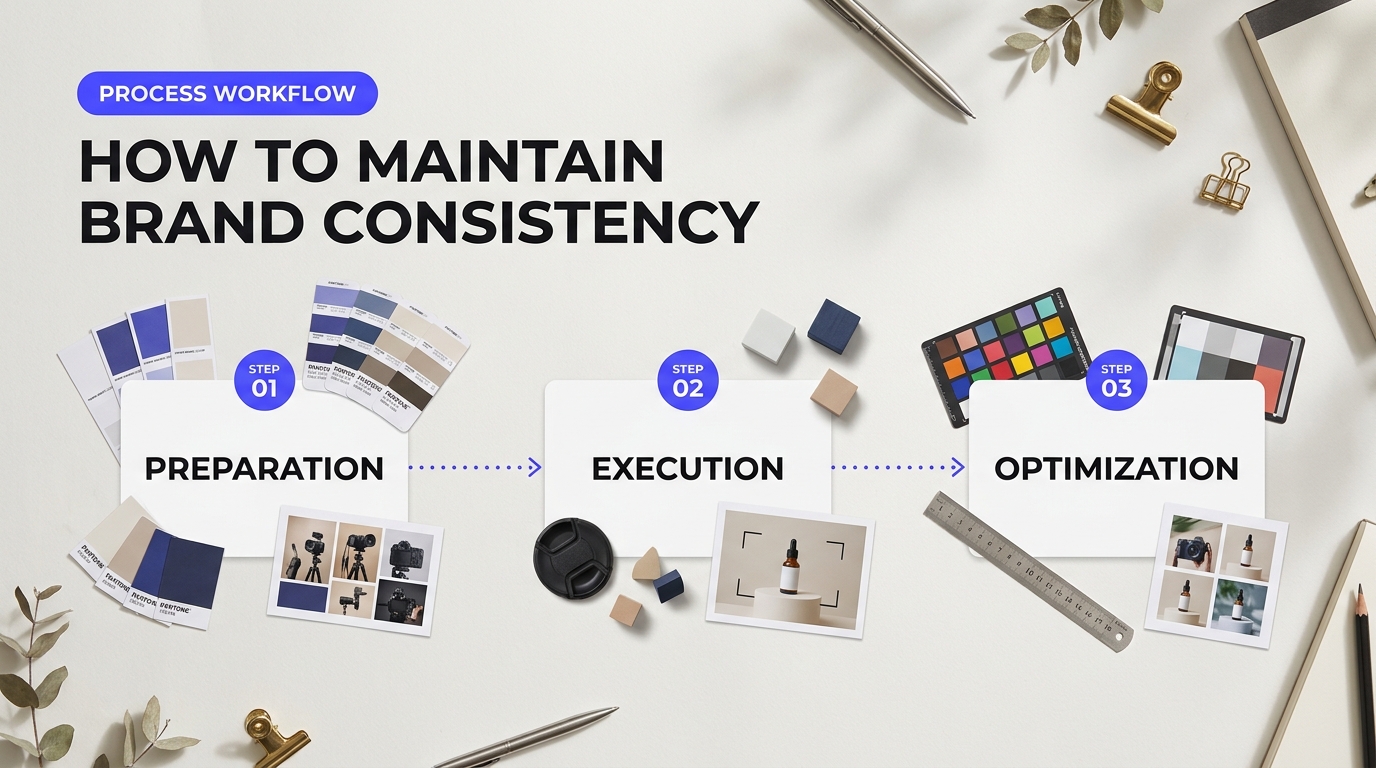
Generative AI models are natural improvisers. If you ask an algorithm to place a skincare bottle on a marble countertop five different times, it will build five totally different rooms. Shadows shift. Marble veins change color. Lighting angles jump from soft morning glow to harsh midday sun. This phenomenon, known as "AI drift," ruins storefront cohesion. Modern ai product photography for e-commerce relies on strict guardrails so your entire catalog looks like it was shot in the exact same physical studio.
Standardizing Prompts for Consistent E-Commerce Visuals
You can't treat image generation like a casual chat. Random prompts yield random storefronts. To keep your brand look stable, create modular prompt templates. Split your text prompt into four fixed variables: subject framing, background texture, lighting direction, and camera lens specs.
Example Prompt Template:
[PRODUCT] sitting centered on a [TEXTURE/COLOR] background, illuminated by [LIGHTING STYLE] from the [DIRECTION], shot on 85mm lens, f/4 aperture, studio shadow casting --no gradient distortion
Lock down these atmospheric modifiers across all SKUs. When you launch a new product line next season, swap out only the [PRODUCT] variable. Keep every atmospheric detail identical. This simple discipline keeps your collection visual style uniform across homepage banners, grid listings, and social feeds.
Using Seed Values and Style Presets to Lock the Studio Setup
Text prompts alone can't guarantee matching angles. Most generative engines use random noise seeds to build images from scratch. If you don't lock your seed value, the algorithm rolls a new set of dice every single run.
In tools like Midjourney, attaching a fixed --seed number forces the model to use the exact same structural starting point. This maintains identical shadow angles and background geometry across dozens of renders. If you want a simpler workflow without wrestling with code parameters, specialized platforms like the Flair.ai background generation tool allow you to save custom style boards. You drop your cutout product onto a locked canvas preset, preserving your brand's specific tone across summer and winter catalog drops.
Choosing the right workflow balance comes down to team size and technical comfort:
| Workflow Approach | Control Level | Setup Effort | Best Used For |
|---|---|---|---|
| Fixed Seed Prompts (e.g., Midjourney) | High (Noise-level control) | Moderate (Requires prompt tuning) | Atmospheric lifestyle shots and seasonal campaigns |
| Canvas Preset Locking (e.g., Flair.ai, Pebblely) | Very High (Fixed composition) | Low (Drag-and-drop workflow) | Large SKU catalogs with standard background requirements |
| Hybrid AI + Manual Editing (Photoshop Firefly) | Maximum (Layered control) | High (Requires retoucher input) | Hero banner images and main product page listings |
Human-in-the-Loop Quality Control and Color Accuracy
AI tools struggle with brand-accurate colors. Generative algorithms interpret shade names like "navy blue" differently depending on surrounding light. That is a massive problem when customers return items because the physical product doesn't match the listing photo.
Never publish raw AI outputs directly to your storefront. Establish a strict review step before pushing assets live. Store founders on marketers sharing AI visual compliance pitfalls often highlight how minor AI hallucinations—like warped brand logos or altered label typography—can severely damage customer trust.
"When we first ran our 50-SKU launch through pure AI generation, half our logos came out slightly distorted or blurry. We had to move to a composite layer workflow to protect our brand identity."
Use graphic editing software like Adobe Photoshop to isolate your physical product packaging on a separate top layer. Run ai product photography for e-commerce background generation behind the isolated product layer, rather than letting the generator rewrite your actual label text. This keeps your logo, color HEX codes, and regulatory copy completely accurate while giving you total freedom over studio backgrounds.
Is setting up this consistent system worth the cost for a growing brand? Yes. Monthly tool subscriptions usually run between $20 and $100. Avoiding physical reshoots saves thousands of dollars every quarter. Your team builds a scalable visual pipeline that keeps your storefront crisp, clean, and recognizable across every customer touchpoint.
Building a Future-Proof E-Commerce Visual Strategy
Digital storefronts need constant fresh content. Adopting ai product photography for e-commerce gives your store the agility to launch seasonal campaigns without waiting weeks for camera equipment, studio rentals, or editing backlogs. Traditional shoots still hold value for flagship hero products, but synthetic visuals let you generate hundreds of high-converting lifestyle images in minutes at a fraction of the cost.
A Practical Roadmap for AI Product Photography for E-Commerce
You don't need to rebuild your entire operations stack overnight. Scaling synthetic visuals requires a balanced, phased approach that protects your brand identity while maximizing team output.
- Phase 1: Start with High-Volume SKUs. Pick secondary catalog items or top-selling product variants first. Use specialized background tools like Photoroom or Flair AI to remove plain white drops and place products into realistic lifestyle environments.
- Phase 2: Set Strict Brand Guardrails. Don't let generative software run completely wild. Prompt your tools with precise lighting parameters, shadow angles, and color palettes so every generated asset feels unified across your storefront.
- Phase 3: Run Small Split Tests. Measure conversion rates between traditional studio shots and AI-generated renders on live landing pages. Look closely at bounce rates and add-to-cart actions to confirm shopper trust stays strong.
- Phase 4: Human-in-the-Loop Quality Control. Always assign a team member to review final outputs before publishing. Catching minor visual bugs early keeps your site looking polished and professional.
Many store owners worry about common edge cases like complex glass transparency, fine metal reflections, or warped brand logos. As seen in forum threads with e-commerce operators discussing workflow efficiency, early adopters often hit roadblocks when relying entirely on raw visual generation without manual review. You can easily fix these rendering flaws by isolating a clean, high-resolution photo of your physical product and letting the tool render background scenes behind it.
Smart automation isn't about replacing human vision. It's about eliminating manual labor so your team can focus on high-level creative strategy.
Subscription costs for platforms like Pebblely remain low enough that even small teams can see an immediate return on investment. As rendering engines evolve, adopting a hybrid workflow—combining sharp studio base images with fast generative fills—ensures your store stays visual, competitive, and highly profitable for years to come.