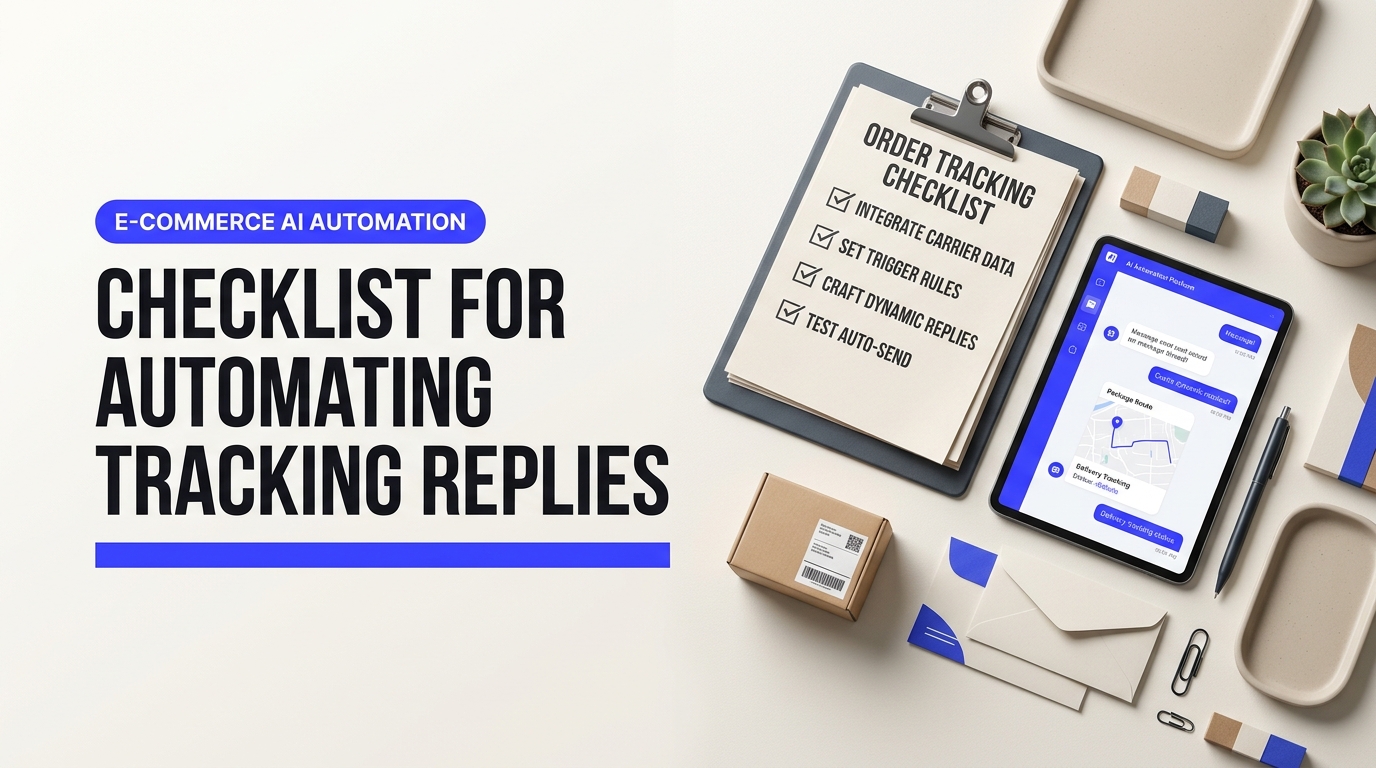
Checklist for Automating Tracking Replies - checklist for automating order tracking replies
Every growing online brand hits a tipping point where package inquiries bury customer support teams. When anxious shoppers ask where their package is, agents lose hours chasing carrier updates, pasting tracking numbers, and typing identical status emails. Putting together an actionable checklist for automating order tracking replies eliminates this costly bottleneck. Instead of manually looking up parcels, your store delivers immediate, automated tracking updates that protect your operating margins and satisfy buyers.
Table of Contents
- Why Repetitive WISMO Tickets Drain Retail Margins (And How Automation Solves It)
- Phase 1: Auditing Your E-Commerce Data Stack for Real-Time Order Syncing
- How to Implement the Core Checklist for Automating Order Tracking Replies
- Dynamic Template Frameworks: What Automated Tracking Responses Should Actually Say
- How to Handle Shipping Exceptions, Stalled Parcels, and Delivery Delays Automatically
- Proactive vs. Reactive Tracking: How to Deflect Inbound Tickets Before Customers Ask
- Optimizing Your Automated Tracking System for Long-Term CSAT and Retention
The True Drain of Manual WISMO Requests on Store Profitability
WISMO tickets eat away profits. For most digital storefronts, "Where is my order?" requests represent the single largest category of incoming support volume. According to Kodif's order tracking research, tracking inquiries regularly account for 40% to 60% of all e-commerce helpdesk conversations. That means half of your support team's payroll goes toward reading tracking numbers aloud to people who already received them via email.
Think about what happens during a standard manual resolution. A shopper sends a quick note asking when their order arrives. Your agent reads the message, opens your e-commerce platform, searches the customer's email, finds the order record, and copies the carrier tracking code. Then they open a third-party carrier portal, check the latest transit scan, jump back into your helpdesk software, and type out an update. That round trip takes four to six minutes. It feels short, but the math is brutal.
Calculating the Labor Toll of Tracking Lookups
When you break down the actual dollars spent, repetitive tickets reveal themselves as a massive balance-sheet leak. Most support managers track metrics like first response time, but they overlook the direct labor cost per ticket. Industry benchmarks place the cost of a resolved tier-1 support ticket between $5.00 and $12.00 once you factor in agent wages, management time, software seats, and workspace overhead.
If your store receives 1,500 customer queries a month, roughly 750 of them are simple shipment lookups. At a conservative cost of $6.00 per ticket, you spend $4,500 every month just confirming package locations. That adds up to $54,000 every year on pure repetition. As highlighted in DEMG's e-commerce support benchmarking report, routine fulfillment tickets and return requests silently consume 40% of total team capacity. That is skilled labor you could redirect toward VIP outreach, wholesale inquiries, or closing pre-sale questions from hesitant buyers.
The damage goes beyond direct labor costs. Manual lookups create chronic friction for everyone involved:
- Sluggish response times: An agent wading through fifty status checks cannot answer product questions quickly, causing prospective buyers to abandon their carts.
- High agent burnout: Nobody enjoys copying tracking codes between browser tabs all day, and that mind-numbing repetition drives high support staff turnover.
- Customer frustration: Modern consumers expect instant answers; waiting six hours for an email that just says "in transit" hurts brand trust.
Manual Workflows vs. Autonomous Resolution
Solving this issue requires shifting from manual lookups to autonomous, real-time data delivery. Traditional macros or canned email templates help a little, but they still require human intervention to paste dynamic variables. True automation connects your store platform, fulfillment software, and carrier APIs so the system handles lookup and delivery without any agent touching the keyboard.
Independent research shows how well this transition works in practice. According to ShippyPro's shipping automation analysis, merchants that adopt automated shipping status workflows reduce inbound WISMO tickets by up to 65%. Instead of forcing customers to ask for updates, smart systems fetch carrier events and resolve inquiries through self-service portals, dynamic emails, and automated chatbot resolutions.
To see how an end-to-end automated system operates in a live e-commerce setup, watch this breakdown by Verified Creator on building a hands-free tracking agent:
The video walks through the exact mechanics of reading an incoming fulfillment ticket, pulling live parcel data via webhooks, and replying to the customer in seconds. Following a verified checklist for automating order tracking replies gives your team the blueprint to build this exact capability, freeing your budget and protecting your operating margins for long-term growth.
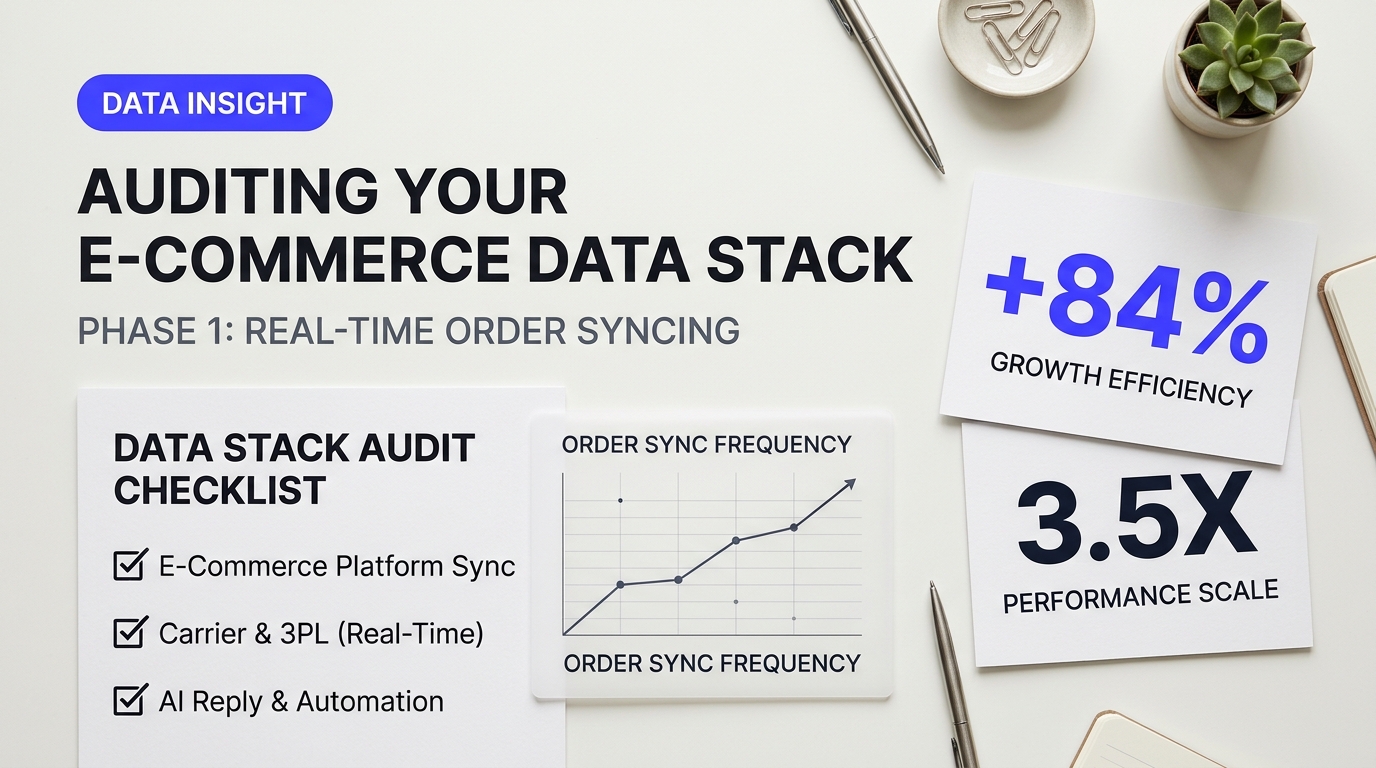
Phase 1: Auditing Your E-Commerce Data Stack for Real-Time Order Syncing
Automated customer support fails the moment your systems stop talking to each other. Imagine a buyer asking where their parcel is three days after purchase. Your AI assistant checks the store database, sees an unfulfilled status, and says the order is still being packed. In reality, your warehouse boxed the item at dawn, and UPS scanned it onto a delivery truck an hour ago. The customer panics, files a chargeback, and leaves a stinging review. That is not an artificial intelligence failure. It is a data synchronization lag.
Before writing a single customer reply rule, you must verify how fast data travels from your warehouse floor to your helpdesk. As supply chain specialists emphasize in r/B2Becommerce_Hub discussions on backend integration, real-time communication only works when your technical architecture is built to support it. If your inventory management tool only pushes tracking numbers every six hours, your automated responses will constantly mislead shoppers.
Modern data orchestration platforms help solve this lag. The video above illustrates how unified API layers aggregate disjointed data streams into single endpoints. This architecture prevents customer service bots from querying stale, cached records across separate databases.
Data Audit Checklist for Automating Order Tracking Replies
Before launching automated tracking answers, run your stack through this audit. It serves as your foundational checklist for automating order tracking replies without risking contradictory messages.
- Webhook Configuration Over Scheduled Polling: Polling runs on intervals, which creates blind spots. Webhooks fire instantly when an event happens. Ensure your storefront (Shopify, BigCommerce, or WooCommerce) and your shipping platform send event-driven webhooks directly to your customer support engine the second a shipping label prints.
- Carrier Event Normalization: Different shipping carriers use different vocabulary for the same package state. FedEx might mark an item as "Shipment Exception - Weather," while DHL calls a similar delay "Disruption." Check that your shipping aggregator (such as ShipStation or EasyPost) normalizes these raw status codes into clear buckets like Manifested, In Transit, Exception, and Delivered before your AI reads them.
- Customer Identifier Matching: Shoppers rarely provide all their details when checking in. Some write from a different email address than the one used at checkout. Some provide only a first name and phone number. Your customer service platform (such as Gorgias or Zendesk) must have multi-point matching enabled to link incoming inquiries with order numbers using secondary identifiers like phone digits or delivery addresses.
- API Rate Limit Buffers: Peak sales events like Black Friday overwhelm standard API tiers. If five hundred shoppers ask for order updates simultaneously and your 3PL platform hits its hourly rate limit, the integration will fail silently. Verify that your API connections include fallback caching to handle sudden traffic spikes gracefully.
| Integration Layer | Sync Mechanism | Typical Latency | Common Point of Failure |
|---|---|---|---|
| Storefront (Shopify / BigCommerce) | Order Created / Fulfilled Webhooks | Sub-second to 2 minutes | Third-party dropship apps delaying fulfillment updates. |
| 3PL / Aggregator (ShipStation / EasyPost) | Carrier Scan Webhook Push | 5 to 15 minutes | Labels printed in bulk but parcels not physically handed over. |
| AI Helpdesk (Gorgias / Zendesk) | Dynamic API Lookup on Ticket Open | Instantaneous (Live call) | Stale cached tokens causing unauthorized API rejections. |
Field Rule: Never allow an automated reply system to pull status data strictly from your e-commerce storefront. Always configure your helpdesk to pull the latest milestone directly from your shipping aggregator or carrier API. Storefront fulfillment statuses reflect what your warehouse intended to do, not what the courier has physically scanned.
Testing these data connections requires live scenarios. Place a test order on your staging site, print a test shipping label via your fulfillment platform, and deliberately leave the tracking unassigned for thirty minutes. Trigger an inbound support request from a test email. If your automated flow replies that the package is on its way when the carrier has never touched it, your sync logic needs tighter constraints.
Your automation must recognize the difference between "label printed" and "first carrier scan." Showing a buyer a link that says "Label Created - Courier Awaiting Package" for three days straight causes more support tickets than sending no automated message at all. Setting clean data parameters at this foundational stage guarantees your automated system builds trust instead of eroding it.
How to Implement the Core Checklist for Automating Order Tracking Replies
When customer support reps spend their morning copying tracking numbers from carrier portals into helpdesk tickets, your margins vanish. Retail operators often lament that their staff feels stuck processing orders like it is 1999, burning daylight on mechanical lookups instead of closing high-value sales or untangling real fulfillment fires. Automating this pipeline transforms a reactive bottleneck into a smooth, instantaneous background operation.
To pull this off without frustrating your buyers or leaking sensitive order details, you need a rock-solid workflow. A haphazard bot that spits out wrong tracking links does far more brand damage than a delayed human response.
The Step-by-Step Checklist for Automating Order Tracking Replies
Building a resilient workflow requires connecting your customer records, carrier tracking events, and communication frontends into a single automated pipeline. Work through these core stages to take your system from disconnected manual queries to hands-off execution.
1. Customer Identity & Order Verification
Never reveal tracking links or shipping addresses based solely on a typed name or loose order number. Think of your verification layer like the security desk in an office building: visitors must prove who they are before getting an elevator pass.
- Sender match: Verify that the inbound message address matches the billing or shipping email saved in your e-commerce platform (such as Shopify, BigCommerce, or Magento).
- Dual-factor lookup: If a customer contacts you from an alternate address or via guest webchat, require two matching criteria (e.g., Order Number + Delivery Postal Code) before exposing order details.
- PII redaction: Obfuscate street addresses and phone numbers in automated messages (displaying only
12*** Main St, Denver, CO) to prevent scraping attempts.
2. Trigger Setup and Intent Recognition
Your system must accurately identify when a customer is asking "Where is my order?" (WISMO) versus asking for a refund or product exchange. Modern help desks like Gorgias and Zendesk use natural language processing to detect order tracking intent across incoming messages, but you can also configure deterministic rules.
- Webhook event triggers: Listen for order status changes from your fulfillment software (e.g., ShipStation, Shippo) to update customer records before they even write in.
- Keyword & regex capture: Parse common phrases like "track package," "tracking number," "has my order shipped," and order number patterns (e.g.,
#1[0-9]{4}). - Ticket routing & auto-assignment: Tag matched conversations automatically with a distinct label (such as
WISMO-Automated) to keep human agent queues clean.
Understanding how back-office records map directly to trigger events is critical. The walk-through above shows how connecting structured data feeds directly to messaging logic eliminates administrative drag across transactional operations.
3. Carrier Status Parsing & Normalization
Every freight company speaks its own dialect. FedEx might report an event as "Departed FedEx location," while USPS calls the same stage "Departed Post Office," and DHL marks it "Processed at Transit Facility." If you pipe raw tracking strings straight to customers, they will get confused. You must translate raw carrier signals into standardized milestones.
| Standardized Status | Carrier Raw State | Customer-Facing Output |
|---|---|---|
| Pre-Transit | Shipping label created / Manifest generated | "Your label is printed and our warehouse is packing your items." |
| In Transit | Arrived at hub / In transit / Processing | "Your package is moving through the carrier network." |
| Out for Delivery | On vehicle for delivery / Loaded on truck | "Your parcel is on the local delivery vehicle today." |
| Delivered | Delivered / Left at front porch / Signed by agent | "Delivered! Check your front door or parcel locker." |
| Exception | Delivery attempt failed / Address incorrect | "Delivery paused. We need to confirm your delivery address." |
Standardizing these updates through dedicated post-purchase middleware like AfterShip or Wonderment prevents your webhook flows from breaking whenever carriers modify their internal API schemas. You can also explore modern order status automation architectures to see how unified data pipelines map backend supply chain events directly into customer-facing helpdesk software.
4. Multi-Channel Deployment
Customers reach out across different channels, and each requires a tailored format. A message structure that works in an email feels clunky in SMS or live chat.
- Email: Send a clean branded reply that includes the item thumbnails, estimated delivery date (EDD), shipping address preview, and a single, unmissable "Track My Package" button. Avoid plain text tracking codes that require manual copy-pasting.
- Live Chat / Widget: Deliver instant order cards. If the visitor is authenticated, pop open an interactive card showing current package coordinates and a dynamic progress bar directly in the chat panel.
- SMS: Keep it concise and carrier-compliant. Limit copy to under 160 characters when possible: "Hi Alex, order #1428 shipped via UPS. Track it here: [short link]. Reply STOP to opt out." Ensure your brand is fully registered under A2P 10DLC regulations to avoid carrier filtering.
A smart automation system knows when to stop automating. If an order status hasn't updated in four business days, or the carrier flags an address issue, your trigger should halt generic replies and route the customer straight to a tier-2 support agent.
Configuring your triggers with this granular logic guarantees that simple lookups are answered within five seconds while complex shipping delays receive hands-on human attention. Deploying this operational checklist for automating order tracking replies keeps your support overhead steady, even when order volume doubles overnight.
Dynamic Template Frameworks: What Automated Tracking Responses Should Actually Say
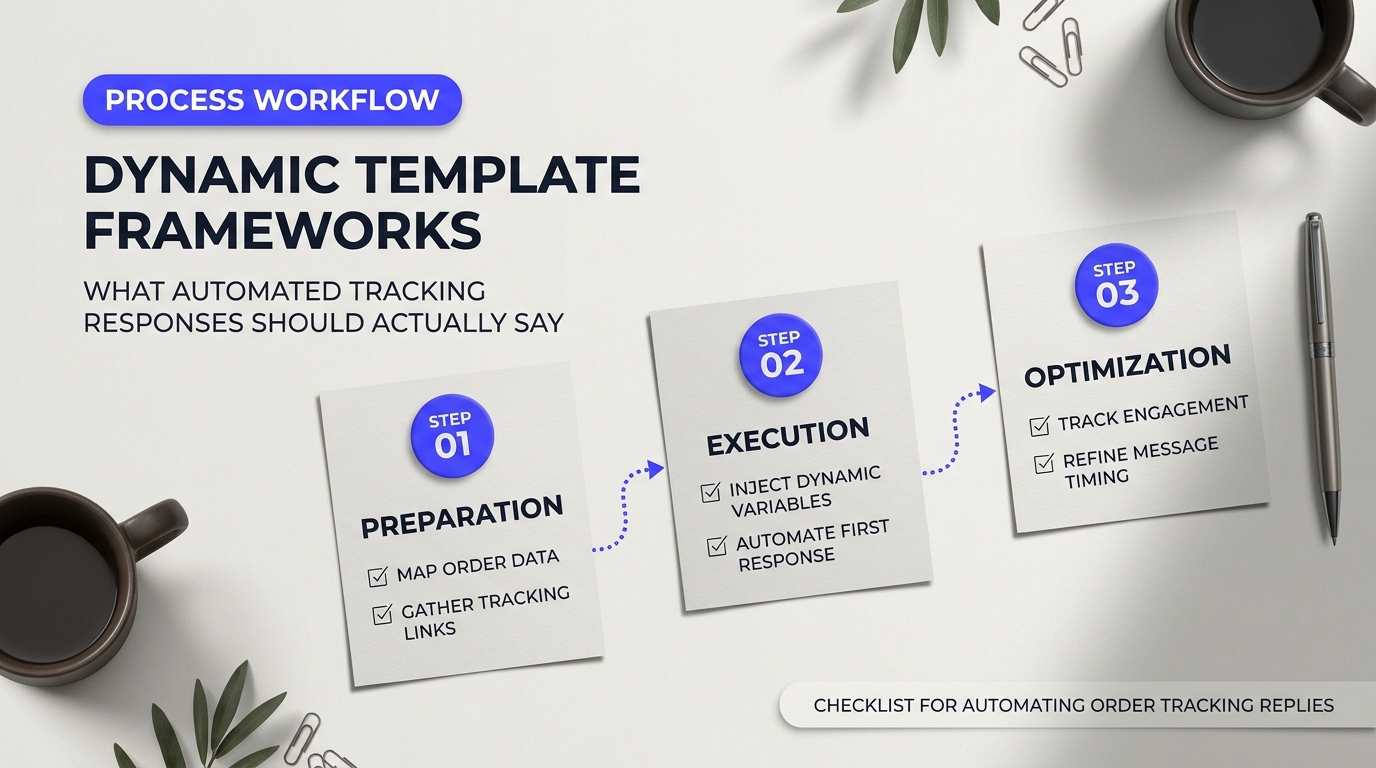
Most tracking emails fail because they treat every order the same. A customer orders a jacket, a pair of boots, and a backordered scarf. If your system blasts out a generic message saying "Your order has shipped!" with one tracking link, that customer will panic the moment a single box arrives at their door without the scarf. Within five minutes, they write an anxious support ticket: "You forgot two items!"
That single ticket wastes support agent time and lowers customer satisfaction. Dynamic templates solve this problem instantly. Think of personalization tokens like fill-in-the-blank game sheets hooked straight into your inventory software. When a carrier scans a barcode, your helpdesk automatically grabs the exact details—item names, delivery windows, local carrier links—and drops them into a message that feels written by a real human.
As builders often emphasize in discussions around opinionated framework boilerplates, starting with clear, pre-set structures beats letting an automated system guess what to say on the fly. You avoid messy wording errors and protect your brand voice across thousands of daily updates.
Connecting your order events to reliable notification triggers prevents broken tracking updates. This short tutorial outlines how to pipe structured response data directly into email notifications without custom programming.
Applying the Checklist for Automating Order Tracking Replies Across Dynamic Scenarios
When you run through your checklist for automating order tracking replies, the goal isn't just sending messages faster. Your real objective is answering the customer's next three questions before they even ask them. Below are four production-tested copy frameworks built to handle the most confusing stages of delivery.
Trigger: Carrier receives the parcel at origin terminal.
"Hi {{customer.first_name}},
Great news! Your package from {{shop.name}} is on the move with {{order.carrier_name}}.
Order: #{{order.order_number}}
Expected Arrival: {{order.estimated_delivery_date}}
Destination: {{shipping_address.city}}, {{shipping_address.province_code}}
You can watch its journey here: Track Parcel #{{order.tracking_number}}.
Carriers sometimes take 24 hours to update their status checkpoints between transfer hubs. If the page hasn't moved yet, don't worry—your box is rolling."
This template works because it handles "tracking scan lag." That one sentence stops shoppers from messaging support three hours after receiving a label notification when the postal portal still displays "Label Created."
Trigger: Fulfillment center packs part of a multi-item order.
"Hi {{customer.first_name}},
We wanted to let you know that your order #{{order.order_number}} is shipping in multiple boxes so you get your items as fast as possible.
Box 1 of {{order.total_packages}} is on its way with:
{{fulfilled_items.list}}
Track this package: {{package.carrier_name}} Tracking
Still packing at our warehouse:
{{unfulfilled_items.list}}
We'll send you a separate tracking link as soon as your remaining items leave our doors. You will not pay extra shipping fees for the split delivery."
Split orders create severe friction. Stating what is in the box versus what remains at the warehouse removes surprise. Reassuring them about shipping costs eliminates billing complaints.
Trigger: Bi-weekly status timer while item awaits batch production.
"Hi {{customer.first_name}},
A quick update on your pre-order for {{item.name}} from order #{{order.order_number}}.
Our manufacturing team is currently on track to finish this production run by {{preorder.estimated_completion_date}}. We expect to begin shipping orders between {{preorder.shipping_window_start}} and {{preorder.shipping_window_end}}.
Need to adjust your delivery address before we pack your box? Reply directly to this email with your updated address, and we'll take care of it for you."
Silence breeds buyers' remorse. Sending scheduled updates during a month-long pre-order builds trust and keeps refund requests low.
Trigger: Carrier API tag "Customs Clearance In Progress".
"Hi {{customer.first_name}},
Your parcel from order #{{order.order_number}} has arrived in {{shipping_address.country}} and is currently clearing local customs.
Global Tracking: {{order.carrier_name}} #{{order.tracking_number}}
Local Postal Service: {{order.local_carrier_name}} (Ref: {{order.local_tracking_number}})
Customs processing usually takes between 2 to 5 business days. Once cleared, {{order.local_carrier_name}} will carry out final delivery directly to your door.
Note on import fees: If your country requires local duties, your national postal authority will contact you directly via SMS or card."
Evaluating Helpdesk Automation Engines for Tracking Responses
Your dynamic templates are only as reliable as the software piping the parameters into your templates. If an integration drops the local postal code or carrier name, customers get confusing strings like "Your package is with {{carrier_name}}." Pick an engine that handles e-commerce variables natively.
| Platform Feature | Gorgias | Zendesk + SunCo |
|---|---|---|
| Shopify/BigCommerce Sync | Native real-time integration; pulls tracking URLs without custom code. | Requires marketplace apps or custom middleware webhooks to fetch live line-item states. |
| Dynamic Token Language | Simple click-and-insert Shopify Liquid tokens inside macro templates. | Advanced Liquid syntax support with conditional logic (if/else statements for split orders). |
| Fallback Values | Basic fallback support if tracking parameters are null. | Full regex filtering and custom scripting to catch missing tracking tokens. |
| Best Fit | Fast-growing direct-to-consumer shops wanting quick setup out of the box. | Enterprise merchants running multi-warehouse, custom-built ERP tech stacks. |
For mid-sized online stores, Gorgias is typically easier to deploy because its Shopify sync reads package fulfillment nodes without custom API calls. Enterprise brands juggling three third-party logistics warehouses (3PLs) and custom ERP systems often prefer Zendesk paired with Sunshine Conversations. Zendesk provides deeper programmatic logic to hide empty variables whenever carrier data arrives incomplete.
Whichever platform you run, never launch an automated template without setting a clean fallback variable. If your system cannot find an estimated arrival date, the placeholder should cleanly say "within our standard 3 to 5 business day window" rather than displaying an ugly, broken blank space.
How to Handle Shipping Exceptions, Stalled Parcels, and Delivery Delays Automatically
A customer tracking link that hasn't moved in four days is a ticking support ticket. If your automated workflow treats every order like a smooth transit, your helpdesk will backfire. When a customer reaches out asking why their parcel has been stuck in the same regional distribution hub since Tuesday, a generic canned response saying "Great news! Your order is on the way" triggers immediate frustration. Every robust checklist for automating order tracking replies needs clear branching logic so your AI doesn't send cheerful boilerplate to a customer whose package fell off a conveyor belt.
Automated tracking responses must recognize carrier failures before they turn into dispute claims. That means building a system that reads tracking event metadata, checks elapsed scan time, and routes the ticket through a conditional decision tree.
Building Exception Rules into Your Checklist for Automating Order Tracking Replies
Carriers use dozens of status codes. Think of carrier webhooks as a traffic control tower: green lights mean transit proceeds as planned, but yellow and red lights require instant rerouting. Your automation should sort exceptions into three distinct operational buckets instead of treating all delays the same way.
| Exception Category | Tracking Trigger Condition | Automated Bot Action | Fallback / Escalation Rule |
|---|---|---|---|
| Stalled in Transit | No new scan event for > 72 hours on domestic parcel | Validate last physical hub scan; confirm shipping address; explain typical carrier transfer lag | Escalate to Tier 2 if parcel sits stagnant for > 5 business days |
| False Delivery Scan | Marked delivered < 24 hours ago, but customer flags as missing | Explain carrier premature drop-offs; prompt customer to check secondary drop points | Auto-create a carrier inquiry ticket if package remains unfound after 24 hours |
| Active Carrier Alert | Status returns severe weather, train derailment, or customs hold | Extract carrier delay reason; deliver localized update; offer updated delivery window | Offer replacement or partial credit if hold exceeds 7 calendar days |
The "Delivered but Missing" exception is the most volatile scenario. As highlighted in USPS community discussions on premature delivery scans, postal workers frequently scan packages as "Delivered" at the start of their shift or before leaving a distribution vehicle, even if the parcel doesn't reach the porch until hours later. If your bot instantly replies with "Carrier records say this was delivered, please check your porch," buyers feel dismissed.
Your automated logic should acknowledge the premature scan directly. Configure your AI agent to explain that local couriers sometimes mark items delivered before physical drop-off occurs. Have the system create an internal holding ticket set to notify your team automatically if the customer replies after 24 hours stating the package is still missing.
Automation Rule Example: IF tracking_status == "DELIVERED" AND ticket_created < (delivered_timestamp + 24 HOURS) THEN trigger "Premature Delivery Scan" workflow. Pause immediate claim payouts for 24 hours; flag for human review on day two.
When handling regional disruptions—like blizzards, hurricanes, or sorting facility breakdowns—your system shouldn't wait for buyers to ping you. Modern tracking software stacks allow you to filter tracking records by postal code zones. If a sorting facility in Chicago freezes operations, tag all inbound queries from affected destination zip codes with a specific delay macro. Your reply should give the exact context behind the slowdown.
To identify these failure bottlenecks across your fulfillment network before they generate tickets, team leads often review carrier transit times using raw export data. The following walkthrough demonstrates how logistics teams extract and organize high-volume delivery logs into clear summaries to pinpoint carrier SLA failures:
Choosing Your Automation Stack: Native Helpdesk Rules vs. Dedicated Shipping Intelligence
Implementing reliable exception replies depends heavily on how your customer service platform communicates with carrier databases. You can build these workflows directly inside helpdesks like Gorgias or Zendesk, or pair them with specialized post-purchase platforms like Wonderment or AfterShip.
Native helpdesk rules use standard carrier webhooks. They work well for small teams with light ticket volumes. You set simple triggers: when a customer ticket arrives containing the word "where," the system fetches the tracking number from your e-commerce platform and outputs the latest status. The downside is that native helpdesk rules remain mostly reactive. They can tell a buyer what the last scan was, but they struggle to calculate whether that scan is overdue.
Dedicated shipping tracking tools act as an intelligent middle layer. They continuously poll carrier APIs, evaluate transit milestones against historical delivery windows, and push clean event tags directly into your CRM. If a package stays on one scan for 48 hours without progress, the tool updates the customer profile with a "Stalled Transit" tag before the customer ever opens an email. When the shopper finally sends a message, your helpdesk AI already knows the shipment is off track and fires the correct exception protocol.
Human escalation must remain your safety net. If a parcel triggers three consecutive delivery exceptions—such as an "attempted delivery" loop followed by an "incorrect address" flag—kill the automated bot loop. Auto-assign the ticket directly to an agent with the full shipment history already parsed and summarized in the internal notes.
Proactive vs. Reactive Tracking: How to Deflect Inbound Tickets Before Customers Ask
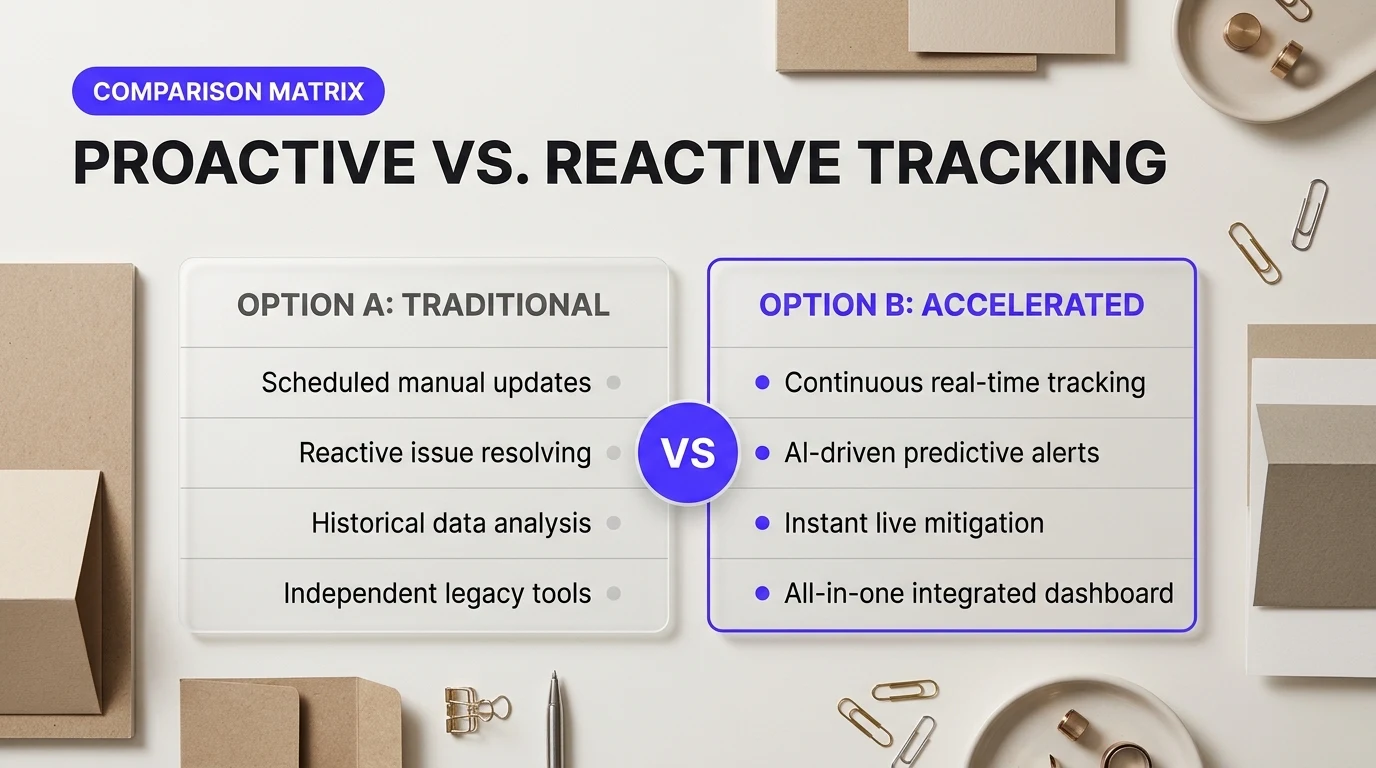
Most retail teams treat order tracking like an emergency room triage. You wait for an anxious shopper to fire off an angry email, and then your help desk rushes in with an automated template. That is completely reactive. By the time a buyer asks "Where is my order?", satisfaction has already tanked. You're simply playing defense.
The real leverage comes from beating the customer to the punch. Best-in-class support desks deflect up to 60% of incoming tickets simply by keeping shoppers informed before doubts kick in. As operators note in the Reddit Customer Success community, proactive outreach only reduces ticket volume if the notifications answer concrete operational questions instead of pushing marketing fluff. The goal isn't perfection; it's building trust.
| Fulfillment Event | Reactive Model (Ticket Influx) | Proactive Model (Ticket Deflection) |
|---|---|---|
| Label created, no scan for 48 hours | Shopper emails asking if the package was lost; agent manually checks carrier status. | Automated email: "Your order is packed and awaiting carrier pickup. Scans update within 24 hours." |
| Mid-transit delay (bad weather) | Customer notices stalled progress bar, assumes lost package, submits an urgent ticket. | Automated SMS: "Severe weather delayed your parcel by 24 hours. Here is the revised delivery window." |
| Out for delivery | Customer calls support to confirm delivery day so they can stay home to sign. | Morning push alert: "Your driver is out. Expect delivery between 1:00 PM and 4:00 PM today." |
When you let carrier tracking pages carry the communication load, you leave shoppers stranded on generic postal portals that lack context. Watching a package sit in a distribution center for two days without an explanation feels like watching a food delivery driver park down the street without bringing your meal. People panic. Then, they reach out.
Setting up outbound messaging stops support queues from backing up. The video above explains how shifting from static help centers to real-time notification triggers answers questions before shoppers open a ticket. Moving tracking data from carrier portals directly into chat, email, or SMS puts you back in control of the conversation.
High-Anxiety Milestones on Your Checklist for Automating Order Tracking Replies
Building these milestone triggers into your checklist for automating order tracking replies ensures your team intercepts questions at the exact moment customer doubt creeps in. You don't need a dozen notification steps. You just need alerts at the points where friction naturally occurs.
Start by identifying fulfillment black holes. When your warehouse prints a label, the carrier tracking API lists the parcel as "Pre-Shipment." If the carrier truck misses an afternoon pickup, that status stays frozen for days. A simple rule in platforms like Klaviyo or Attentive can monitor fulfillment timestamps. If there is no movement after 36 hours, send a short note explaining the staging queue. That single trigger silences half your early fulfillment tickets.
"Users don't reach out because packages take five days. They reach out when a package takes five days and nobody told them why."
Next, configure alerts for transit exceptions. Dedicated shipping tools like Wonderment track carrier webhooks to detect sorting errors, weather holds, and failed delivery attempts. Connecting these webhooks to your support platform lets you fire instant transactional updates. If a delivery attempt fails because of a locked gate, automated SMS prompts can ask the customer for gate codes right away. Your driver gets the package delivered on the second attempt, and your support team never touches a ticket.
Conclude your automated sequence at delivery confirmation. Don't stop at saying "Delivered." Include carrier photo proof or specific delivery drop zones directly in the notification. This closes the anxiety loop and prevents immediate "stolen package" tickets when an item is tucked behind a planter on the back porch.
Optimizing Your Automated Tracking System for Long-Term CSAT and Retention
Launching your automated reply workflow is a massive relief for your support queue, but your work isn't done after deployment. Setting up triggers is only half the battle. You need to verify that automated tracking updates actually solve shopper anxiety instead of simply creating confusion in a different channel.
Support automation shouldn't feel like a locked door. When done right, it functions like an attentive concierge who hands over real answers before a guest even finishes asking.
Refining Your Checklist for Automating Order Tracking Replies with Hard Metrics
You can't fix what you don't measure. Tracking performance reveals whether your automation actually rescues agent hours or just annoys buyers into submitting duplicate tickets across email, chat, and social media.
Focus on four core numbers to judge real impact:
- Deflection Rate: The percentage of shipping inquiries resolved cleanly by your automation without human intervention. Healthy systems resolve 40% to 65% of standard WISMO (Where Is My Order?) tickets instantly.
- First-Contact Resolution (FCR): Tracking replies must give complete, actionable context on the first attempt. If a buyer writes back asking what the tracking status means, the automation failed.
- Post-Resolution CSAT: Trigger a one-click micro-survey 24 hours after an automated delivery answer. A dip below 85% usually points to outdated tracking links or robotic phrasing that fails to reassure anxious buyers.
- Ticket Reopen Rate: As operators debated in a Reddit customer success discussion about metrics that prove support is working, tracking whether users reopen a resolved conversation tells you far more about customer health than vanity surveys alone.
Understanding which service metrics matter most helps you spot bottlenecks before they hurt seasonal sales. The breakdown below details the operational numbers that modern customer service teams prioritize to keep efficiency and satisfaction aligned.
Turning Routine Delivery Updates into High-Value Retention Drivers
Transactional messages boast open rates above 60%. That makes your tracking replies the most engaged real estate in your entire email stack. Dumping buyers onto a barren carrier tracking page like USPS or FedEx wastes an incredible branding opportunity.
Smart brands use dedicated customer service platforms like Gorgias alongside post-purchase tracking engines like Wonderment or Malomo. While Gorgias automates instant rule-based ticket replies directly inside your helpdesk, Wonderment intercepts carrier delays and powers branded tracking pages hosted on your own store domain. This setup keeps the shopper engaged with your brand rather than an indifferent third-party logistics site.
Every delivery update is a retention touchpoint. If a customer opens your tracking email five times while waiting for their order, give them reasons to stay excited about your catalog.
You can turn standard notifications into repeat orders with subtle, value-first adjustments:
- Product Care and Setup Guides: Send video instructions or quick tips on how to prepare for the product's arrival while it is out for delivery.
- Targeted Cross-Sells: Display complementary accessories based on what is in the box, rather than generic bestsellers.
- Loyalty Activation: Show the points earned from the current purchase and demonstrate what reward they can unlock on their next checkout.
Treat your post-purchase experience as an active revenue channel. Reviewing your checklist for automating order tracking replies every quarter keeps your data triggers aligned with changing carrier behaviors and seasonal peak volumes. When your system pairs real-time tracking accuracy with timely re-engagement, you stop spending margin on defensive support and start building lasting customer loyalty.