12 Prompts for AI Holiday Product Photos
Every year, Q4 puts massive pressure on e-commerce marketing teams. Securing studio space, shipping physical inventory months early, and hiring set decorators drains operating budgets fast. That friction is why leading digital storefronts now rely on proven prompts for ai holiday product photos to build high-converting seasonal scenes in seconds.
Table of Contents
- Why AI Staging Is Transforming Seasonal E-Commerce Visuals
- What Anatomy Makes an E-Commerce Product Prompt Work in AI?
- High-Converting Prompts for AI Holiday Product Photos Across Q4 Retail Events
- A Phase-by-Phase Checklist for Generating Consistent Holiday Catalog Images
- How to Prompt for Realistic Seasonal Lighting, Textures, and Surface Reflections
- How Can Retailers Automate AI Creative Pipelines Across Ad and Support Channels?
- Scaling Your Seasonal E-Commerce Conversions with Automated Visuals
Traditional photoshoots create painful operational bottlenecks. You have to order product samples by August, coordinate prop sourcing, and hope the fake pine needles don't look cheap on camera. If a product packaging design changes in October, reshooting isn't an option. You're simply locked into whatever assets you captured during the summer, or forced into expensive retouching rounds that delay campaign rollouts.
Deadlines don't wait for reshoots. When late factory samples push studio production into November, brands miss out on early gift shoppers, handing market share to agile competitors. A commercial studio booking typically runs between $3,000 and $12,000 per day once you factor in stylists, lighting technicians, and studio rental fees. For emerging direct-to-consumer (DTC) brands, spending that capital on temporary seasonal assets feels risky.
AI-assisted product staging changes how merchandising teams work. Instead of building physical sets with velvet ribbons, frosted glass, and warm string lights, designers place standard white-background packshots directly into generative models. Tools like Midjourney paired with ControlNet or dedicated catalog platforms like Photoroom let merchants keep the exact geometry of their packaging while rendering realistic holiday environments around it.
Recent community discussions highlight this transition. On forums with store owners debating rendering consistency and production costs, the biggest concern isn't whether AI looks artistic—it's whether the generated lighting respects the product's true color profile. Poorly configured generators can distort labels, alter bottle tints, or introduce weird geometric artifacts. Mastering precise prompts for ai holiday product photos solves this problem by defining strict spatial boundaries, focal depths, and balanced ambient lighting.
Speed is the real competitive advantage. Rather than settling for three static lifestyle images from a single photoshoot setup, automated generation lets you create distinct visual themes for Halloween, Singles' Day, Black Friday, Cyber Monday, and Christmas in an afternoon. You can tailor background decor to match specific customer segments without touching a camera lens. By cutting weeks off the asset production cycle, your creative team can spend Q4 optimizing conversion rates instead of waiting on photo edits.
What Anatomy Makes an E-Commerce Product Prompt Work in AI?
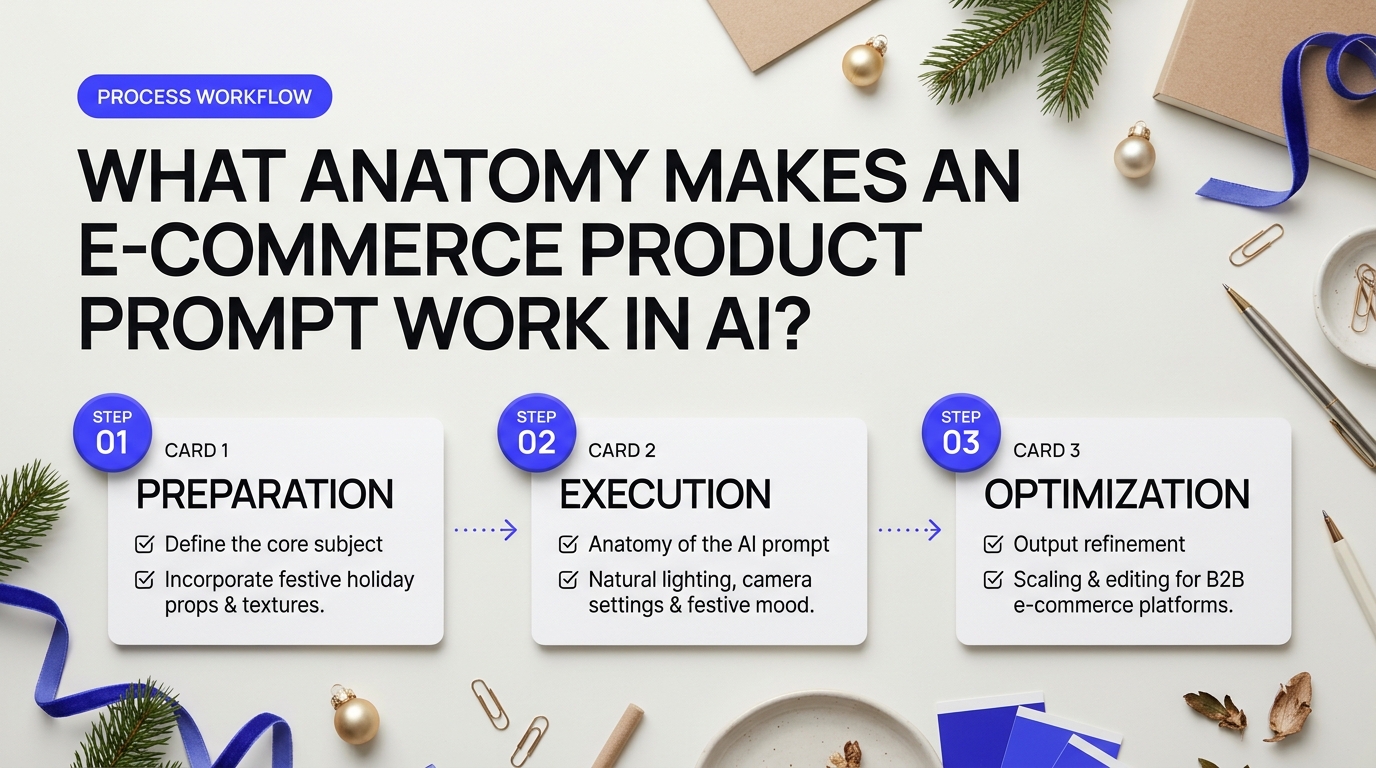
Most AI-generated product photos fail before the render even hits fifty percent. Ask an image generator for a "holiday scene with face cream," and you'll probably get a lopsided jar sitting inside a snowbank with illegible alien text. The AI doesn't know you run a business. It just guesses what pixels usually look like near snow, garland, and glass.
Store owners frequently vent about this frustration across e-commerce merchant discussions on catalog consistency. They want to know why manual staging feels so predictable while AI renders often drift into messy, unusable territory. The fix isn't luck. It's structure. You have to treat the prompt field like a commercial photography brief given to an eager photo assistant who needs clear, step-by-step instructions.
The Modular Anatomy of Prompts for AI Holiday Product Photos
Crafting reliable prompts for ai holiday product photos requires treating the prompt box like a virtual studio setup. If you leave out the lighting, the generator defaults to flat daylight. If you skip camera angles, it picks an awkward top-down perspective. A production-ready commercial prompt relies on six distinct building blocks working together.
| Prompt Variable | Role in Generation | Commercial Example |
|---|---|---|
| Core Product Isolation | Locks down subject geometry, colors, and container type | "50ml amber glass dropper bottle, matte black rubber cap, unblemished clean label" |
| Holiday Environment | Introduces seasonal context without cluttering the foreground | "Resting on a rustic slate plinth, dusted with dry pine needles, blurred fir garland behind" |
| Depth of Field & Lens | Separates your product cleanly from the background | "Shot on 85mm lens, f/2.8 aperture, soft creamy bokeh, sharp foreground focus" |
| Commercial Lighting | Creates crisp silhouettes and realistic reflections | "Warm golden key light from right, subtle rim lighting, soft diffuse fill, holiday candlelight reflections" |
| Material Textures | Prevents the synthetic plastic sheen typical of cheap renders | "Frosted glass refraction, coarse linen runner, micro-scratches on antique slate" |
| Negative Guardrails | Filters out common generation mistakes before they render | "--no text distortion, melted packaging, floating objects, oversaturated reds, cartoon style" |
Think of your core product isolation as the anchor. If you describe the background first, the diffusion model dedicates most of its initial processing tokens to trees, ribbons, and snow. By the time it renders your item, it squeezes the product into whatever space remains. Always lead with the exact subject, its packaging materials, and where it sits in the frame.
Lighting makes or breaks the festive mood. Overhead fluorescents will kill warm holiday vibes immediately. Instead, specify two contrasting sources: a warm key light to suggest cozy indoor warmth and a cool, soft rim light to trace the edges of your packaging. This rim light separates dark packaging from dark seasonal props like evergreen boughs or rich red velvet.
The Master Modular Prompt Template:
[Primary Product Subject & Packaging Finish], positioned center on [Surface Material], flanked by subtle [Holiday Props / Festive Elements] in soft focus. [Camera Optics & Depth], illuminated by [Key Light Tone & Direction] with [Secondary Accent / Rim Light]. Tactile [Surface Micro-textures], clean commercial product catalog photography, photorealistic --no [Negative Guardrails].
When you feed this structure into your model, you eliminate guesswork. Tools like Midjourney or Stable Diffusion XL handle these parameters smoothly when separated by commas. Many merchants also use dedicated workflow tools like Flair.ai or Photoroom to lock their original packaging in place before passing background parameters through prompt modules.
Guardrails matter just as much as positive descriptions. Diffusion models love overdecorating holiday scenes. Left unchecked, they'll bury your hero item beneath mounds of glitter, tangled ribbon, and crushed pinecones. Your negative prompt serves as a bouncer. Ban generic holiday clichés that crowd out negative space, like cartoon snowmen or floating tinsel. Keep the scene breathing so shoppers immediately recognize what you're selling.
Small details create realism. Mentioning realistic imperfections, such as fine condensation on chilled wine bottles or natural wood grain on a cutting board, tricks the human eye into accepting the scene as authentic photography. Master these six blocks once, and you can switch seasonal themes across hundreds of catalog SKUs in minutes.
High-Converting Prompts for AI Holiday Product Photos Across Q4 Retail Events
Q4 moves fast. Traditional studio shoots take weeks of planning, shipping samples, and hiring set stylists. When a campaign underperforms mid-November, you cannot simply call the photographer back into the studio. Deadlines don't wait for reshoots. Deploying targeted prompts for ai holiday product photos gives you the agility to swap visual backdrops in seconds without rebooking a studio crew.
Store owners frequently struggle with quality control when pivoting between different holiday moments. As merchants highlighted in an e-commerce discussion on benchmarking rendering speed and image consistency, the biggest hurdle isn't generating a pretty image. The real challenge is keeping the product sharp while generating environments that trigger buying decisions during specific shopping spikes.
Field-Tested Prompts for AI Holiday Product Photos Across Key Q4 Milestones
Every major retail moment in the fourth quarter carries its own visual language. A Black Friday promotion requires sharp, high-contrast urgency. A Christmas campaign leans into warmth, nostalgia, and home comforts. Here are four battle-tested templates you can paste directly into generative engines like Midjourney, Flux, or Stable Diffusion.
1. Black Friday: Luxury Dark-Mode & High-Contrast Drama
Black Friday marketing has moved away from cheap red discount stickers. Modern high-converting promotions rely on sleek, dark-mode luxury staging that makes any item look premium.
Commercial studio product photography, [insert product, e.g., a sleek matte black ceramic coffee tumbler], centered on a dark raw slate slab, subtle brushed gold ribbons resting nearby, deep charcoal textured wall background, dramatic edge rim lighting, soft low-key illumination, hyper-detailed reflections, 85mm lens, f/2.8, photorealistic, premium promotional catalog aesthetic --ar 4:5 --v 6.0
This setup uses "low-key illumination," which is simply photography speak for keeping the scene mostly dark with sharp lights catching the borders of your product. It carves the item out from the background so it catches eyes in busy social media feeds.
2. Christmas Hearth: Warmth, Wood, and Soft Hearth Glow
Holiday shoppers buy into emotion. Placing your product in a comfortable living room scene helps buyers imagine unwrapping it at home.
Lifestyle product shot of [insert product, e.g., an amber glass scented candle jar with cotton wick], set on an aged oak coffee table, cozy living room background with a blurred stone fireplace, glowing embers, fresh natural pine sprigs and dried cinnamon sticks beside the base, shallow depth of field, warm 2800K holiday ambient lighting, golden bokeh, commercial catalog quality --ar 1:1 --v 6.0
Notice the term "bokeh." Think of bokeh as the smooth, out-of-focus circles of light you see in the background of portrait photos. It keeps customer eyes glued directly to your merchandise while giving the scene a soft, festive vibe.
3. Rustic Winter Wonderland: Crisp Morning Frost & Natural Pine
Not every seasonal campaign needs red and green ornaments. A clean winter scene works through November, December, and straight into late January clearance sales.
Eye-level product photography of [insert product, e.g., a stainless steel insulated travel mug], resting on a frosted rustic timber ledge, crisp morning light filtering through pine trees, delicate snow dust sprinkled on wood grains, soft pale blue and white winter tones, cool color temperature, natural outdoor shadows, macro lens sharpness, editorial lookbook style --ar 4:5 --v 6.0
The secret here lies in the balance between cool background light and clean product highlights. The blue-tinted daylight makes the image feel fresh and seasonal without looking cluttered.
4. New Year's Eve: Glamorous Flat-Lay Celebration
New Year's imagery needs excitement, movement, and celebration. A flat-lay (looking straight down from above) lets you surround your item with festive party elements without blocking it.
Top-down flat-lay product photography of [insert product, e.g., a luxury wristwatch or leather cosmetic pouch], resting on deep emerald-green velvet fabric, surrounded by scattered fine metallic gold confetti, a subtle crystal champagne flute rim at the corner edge, soft directional overhead studio light, sparkling specular highlights, crisp textures, high-fashion editorial magazine layout --ar 1:1 --v 6.0
Contrasting emerald velvet with gold confetti creates instant visual depth. The emerald acts as a rich foundation, while tiny bursts of gold catch ambient light.
Comparing Output Methods: Manual Staging vs. AI Prompt Workflows
Deciding how to produce your seasonal creative comes down to three variables: speed, flexibility, and cost. How do standard commercial setups stack up against modern prompt workflows?
| Feature | Traditional Studio Staging | AI-Assisted Prompt Pipelines |
|---|---|---|
| Turnaround Time | 2 to 4 weeks (props, sets, post-production) | Minutes to iterate and export |
| Average Cost | $1,500 – $5,000+ per collection shoot | Fraction of standard software subscriptions |
| Agility & Retries | Difficult; requires physical re-shoots | Instant; adjust lighting and prompts on the fly |
| Product Accuracy | 100% native capture | Requires image masking or compositing tools to protect text |
How to Avoid Distorted Labels and Wobbly Details
Generative models excel at building festive scenes, but they can scramble brand logos and fine product packaging. If you drop a plain prompt asking an AI tool to render a specific branded label from scratch, you will likely get unreadable squiggles.
The fix is simple. Don't ask the generator to paint your logo. Instead, use an image-to-image workflow or an inpainting canvas tool. Keep your real product cut out on a clean layer, lock its boundaries, and prompt the AI engine strictly for the background, lighting cast, and surface reflections. That guarantees your actual product remains razor-sharp while the seasonal environment around it looks completely convincing.
A Phase-by-Phase Checklist for Generating Consistent Holiday Catalog Images
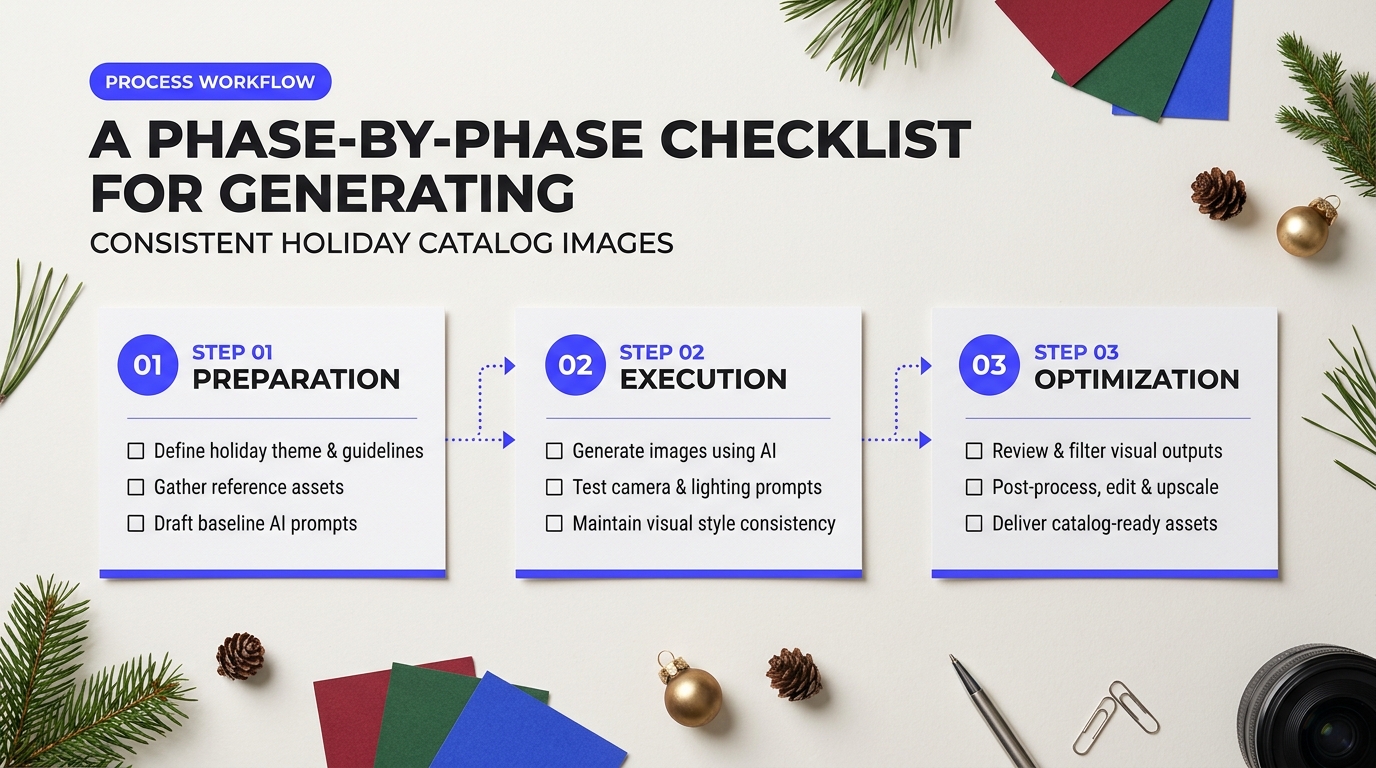
Generating one breathtaking holiday shot is easy. Generating forty matching photos across an entire catalog is where most e-commerce teams hit a wall. One render comes out looking like an upscale department store display, while the next looks like a cartoon sticker pasted onto a blurry Christmas tree. As highlighted in user discussions on AI rendering consistency versus manual workflows, unguided AI staging quickly burns hours of manual cleanup if you treat generation like a lottery machine.
You need a disciplined production pipeline. Follow this three-phase checklist to keep your holiday visual assets sharp, believable, and visually unified from Black Friday through New Year's Day.
Phase 1: Pre-Production & Asset Standardization
Garbage in produces garbage out. If your source assets vary in resolution, lighting, or clipping quality, the diffusion model will produce wildly mismatched scenes. Think of your product cutout like a stencil. If the stencil has rough or blurry edges, color and light will bleed where they do not belong.
- Extract Clean Alpha PNGs: Isolate every SKU at 300 DPI with crisp, anti-aliased cutouts. Strip away all original cast shadows unless you plan to retain native studio base plates. Ragged transparent edges force AI models to generate strange halos around your products.
- Normalize Source Lighting: Feed the AI base shots taken under balanced, neutral studio lights (around 5000K daylight balance). If your base photograph has heavy yellow tungsten light, the AI will fight to blend it into a cool, blue-toned winter morning background.
- Lock Canvas Padding: Standardize the relative scale of products inside your canvas template. Maintain a fixed 15% margin on all sides. This prevents a lip balm container from rendering larger than a holiday champagne bottle.
Tuning Prompts for AI Holiday Product Photos Across Batches
When running prompts for ai holiday product photos across dozens of catalog items, consistency breaks down if you change your style descriptors mid-stream. Keep the core environment tokens identical across the entire collection. Only alter the product token and placement cues.
Lock your generation parameters to avoid erratic visual drift:
- Fix the Random Seed: Once you discover a background composition that fits your brand identity—such as a weathered oak mantle with soft twinkle lights—lock that specific seed value. Using the same seed across different masked product inputs preserves camera angle, depth of field, and prop arrangement.
- Dial In Denoising Strength: Keep inpainting denoising between 0.35 and 0.45. This range gives the generator enough room to cast realistic holiday ambient light and contact shadows onto the surface beneath your item without repainting your packaging typography. Going above 0.60 causes the model to hallucinate brand logos and warp physical labels.
- Maintain a Global Negative Prompt: Apply an identical negative prompt block to every single batch run to prevent unwanted artifacts: blurry packaging, deformed labels, oversaturated reds, cartoon surfaces, floating objects, harsh digital glow, duplicate items.
How you implement these generation phases depends heavily on your team's technical setup:
| Workflow Method | Consistency Control | Rendering Speed | Best Suited For |
|---|---|---|---|
| ControlNet + ComfyUI | Maximum (Pixel-level depth & edge locks) | Slow (Requires local GPU / setup time) | Technical design teams with custom product geometry |
| Turnkey AI Staging (e.g., Photoroom, Flair) | Moderate to High (Automated shadow matching) | Fast (Cloud-rendered batch presets) | Fast-moving catalog teams managing hundreds of seasonal SKUs |
Phase 3: Brand Integrity & QA Checklist
Never send AI-staged catalog images straight to your live storefront. Run each render through a strict visual audit before scheduling it into your holiday campaigns.
"The fastest way to destroy customer trust during peak season is a product image where the label text looks melted or the item seems to float three inches above the snow."
- Label and Typography Integrity: Zoom into the product label at 100%. Are the brand name, weight, and claims completely sharp? If an AI pass altered a single letter, composite the original sharp label back over the render using a quick layer mask in Photoshop.
- Physical Grounding (Contact Shadows): Inspect where the product touches the surface. Did the AI build an ambient occlusion shadow? An item sitting on crushed velvet or rustic wood must cast a subtle, warm shadow directly beneath its contact points. If the surface below it is brightly lit, your item will look detached from reality.
- Color Fidelity (Delta-E Check): Holiday backdrops often reflect strong ambient colors like forest green or crimson. Ensure these reflections do not shift your brand's core packaging colors out of compliance. Your signature navy bottle must not turn evergreen under holiday tree lights.
- Contextual Scale Sanity: Check surrounding seasonal props. Pinecones, cinnamon sticks, and ribbon bows must match the physical proportions of the merchandise. A pine needle should never appear larger than a hand cream tube.
How to Prompt for Realistic Seasonal Lighting, Textures, and Surface Reflections
Most AI engines default to an uncanny, waxy sheen when asked for holiday backgrounds. You ask for a "festive scene with pine and fairy lights," and the generator spits out an image where glass resembles cheap plastic, gold trims look like dull yellow paint, and snow appears as flat white frosting. This happens because generative models rely on statistical averages across millions of web images. When you do not specify how light moves through materials, the system guesses—and it usually guesses wrong.
Store owners often debate whether generative workflows can match camera-grade quality. As store operators noted during an r/ecommerce discussion on holiday rendering consistency, the biggest hurdle is eliminating that telltale AI sheen without spending hours manually editing layers in Photoshop. You can solve this problem directly inside your text generation string. By describing physical optical properties—like how light passes through an object or scatters across a rough surface—you force the AI to build realistic light interactions.
Mastering Modifiers in Prompts for AI Holiday Product Photos
When crafting high-converting prompts for ai holiday product photos, your descriptive vocabulary acts as your digital camera lens and studio lighting kit. Swapping out vague adjectives for precise physical descriptors instantly removes the plastic glaze.
| Weak Prompt Input | Advanced Physical Modifier | Visual Realism Result |
|---|---|---|
| "Christmas fairy lights" | volumetric twinkle bokeh, optical bloom, warm 2700K point lights, shallow depth of field f/2.0 |
Turns bright yellow dots into soft, glowing orbs that create photographic depth without distracting from the item. |
| "Pine branches with snow" | frosted Scots pine needles, micro-ice crystals, tactile needle ridges, delicate subsurface scattering |
Prevents branches from fusing into green blobs; separates individual needles with realistic translucency. |
| "Gold holiday ribbon" | brushed champagne gold, anisotropic reflections, micro-satin weave texture, specular edge highlights |
Replaces flat yellow tones with directional metallic luster that reacts to ambient room light. |
| "Sitting on winter snow" | granular powdery snow, diffuse cold light scattering, crisp contact ambient occlusion shadows |
Roots the product firmly on the ground surface, preventing the item from looking like it floats in air. |
To put these modifiers to work, balance your light temperatures. Holiday scenes fail when the entire frame turns uniformly orange or blue. Mix contrasting light sources. Tell the model to use a neutral 5000K daylight key light on your product label, paired with warm 2700K ambient twinkle lights in the blurred background. This separation keeps packaging colors accurate for buyers while delivering that cozy seasonal mood.
Pro Studio Rule: Pay close attention to contact shadows. In 3D rendering and generative imaging, this is called ambient occlusion. If your prompt does not request "hard contact shadows under the base" or "weight resting firmly on granular snow," your item will appear suspended above the scene like an awkward sticker.
Your choice of generative model also shapes how these modifiers perform. For brands evaluating tools, Midjourney v6 excels at rich atmospheric color and natural twinkle bokeh straight out of the box. However, Flux.1 (particularly Flux.1 Dev) provides sharper edge separation and handles anisotropic metallic reflections with significantly less prompt bleeding. If you run dozens of SKUs through seasonal updates, pairing Flux with fine-tuned surface parameters delivers the fastest route to catalog-ready assets without costly physical reshoots.
How Can Retailers Automate AI Creative Pipelines Across Ad and Support Channels?
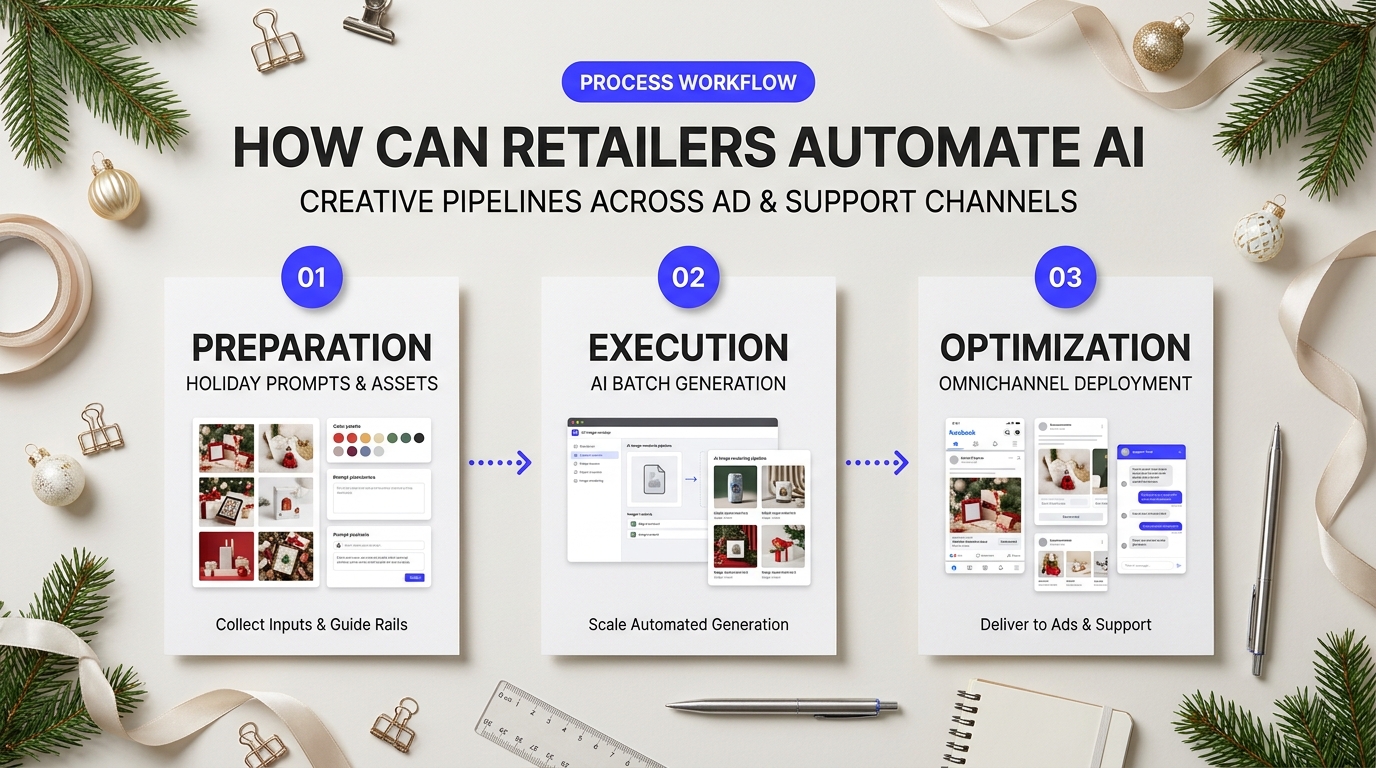
Generating single holiday images in a web browser works fine for a handful of products. When managing two hundred SKUs across Black Friday and Cyber Monday, that manual process falls apart fast. You cannot copy-paste prompts all day while seasonal ad bids climb. Teams get buried downloading assets, resizing canvases, and uploading graphics into different marketing dashboards.
Automating your visual pipeline bridges the gap between raw generation and live marketing campaigns. Instead of treating AI staging as a one-off art experiment, smart brands treat it like a software utility. Product feeds pass raw catalog data directly into automated generation pipelines, which instantly package finished creative for ad managers, dynamic email blocks, and customer chat widgets.
Connecting Prompts for AI Holiday Product Photos to Dynamic Channels
How does this work behind the scenes? Think of your visual pipeline like an assembly line. When a product enters your holiday collection, a webhook fires. Your product information management system sends the clean product cut-out, SKU title, and color variants to an image generation API. By standardizing your prompts for ai holiday product photos with variable tags like {product_name}, {primary_color}, and {holiday_theme}, the software creates tailored backgrounds on demand without human intervention.
Here is what a basic webhook payload looks like when triggering a seasonal visual generation run:
{
  "event": "product.tagged_holiday",
  "sku": "WL-MUG-RED",
  "product_title": "Ceramic Campfire Mug",
  "isolated_asset_url": "https://cdn.store.com/skus/mug-cutout.png",
  "prompt_template": "studio product shot of {product_title}, resting on a weathered pine table, soft bokeh holiday lights, dusting of frost, 85mm lens --no text, blur",
  "output_formats": [
    {"channel": "meta_story", "width": 1080, "height": 1920},
    {"channel": "feed_square", "width": 1080, "height": 1080},
    {"channel": "email_banner", "width": 1200, "height": 628}
  ]
}
Once rendered, tools like Cloudinary or Bannerbear pick up the generated visuals. They overlay brand logos, sale badges, or promo codes, and then publish the finished assets directly to your live channels.
"We wasted three weeks last November manually staging winter scenes for 140 SKUs. This year, we hooked our Shopify product tags directly into an automated pipeline using Make and an image API. We produced 800 localized ad variants in an afternoon."
Where Automated Holiday Visuals Drive the Highest Return
Distributing automated creative across touchpoints creates a seamless customer experience. If shoppers see a product staged on a frosted pine table in a paid social ad, they should see that exact aesthetic when opening your promotional email or chatting with customer care.
- Dynamic Social Banners: Feed tools like Smartly.io or Meta Advantage+ Catalog Ads can pull dynamic AI backgrounds directly into your holiday catalog feeds. If your stock dips below ten units, the system switches the background from a calm fireside setting to an urgent "Last Order Date" gift wrap scene.
- Support Chat Product Cards: When customers ask an AI concierge on Gorgias or Zendesk for gift ideas under $50, the bot should not just paste text links. It responds with visual product cards showing items styled in holiday gift boxes. It feels like talking to a personal shopper.
- Contextual Email Sequences: Instead of generic abandoned cart emails, dynamic blocks in Klaviyo can display the specific abandoned item staged inside a warm holiday living room, making the reminder feel personal and timely.
As store owners frequently note in discussions on e-commerce creative workflows, quality drift and rendering speed remain practical hurdles when ditching manual design. If a prompt misinterprets your brand parameters, hundreds of distorted badges could go live before anyone notices.
| Pipeline Metric | Manual Photo Retouching | Automated AI Staging Pipeline |
|---|---|---|
| Turnaround Time | 3-5 business days per batch | Under 5 minutes per asset set |
| Cost Per Finished SKU | $15 - $50 per layout | $0.05 - $0.30 in API credits |
| Quality Control Risk | Low error rate; slow correction loop | Potential prompt drift; needs validation filters |
| Scale Capacity | Bottlenecked by team hours | Virtually unlimited across all ad formats |
Building Guardrails Before You Hit Scale
Fast pipelines fail hard if you skip validation steps. Product accuracy is the main pain point teams face with automated diffusion. If an AI generator modifies your actual product while painting a festive background, you risk misleading customers and driving up return rates.
Always keep your core item untouched. Use background replacement workflows rather than full-image re-generation. In these setups, software separates the real product, freezes its pixels with a hard mask, and only paints the seasonal environment behind and under the base. Run automated checks on edge feathering and contrast before any image syncs to your live product feeds. These guardrails let you run bold promotional campaigns throughout Q4 while protecting your catalog's visual integrity.
Scaling Your Seasonal E-Commerce Conversions with Automated Visuals
Speed means nothing if images look synthetic. Q4 leaves no margin for error. When shoppers land on your holiday catalog, they decide whether to trust your brand in milliseconds. Generating high-converting visuals isn't about tossing random adjectives into a diffusion model and hoping for the best. It requires a repeatable production system that balances detailed prompt syntax with strict physical consistency.
Deploying Prompts for AI Holiday Product Photos Across High-Volume Catalogs
A common worry highlighted across the Reddit marketing community on production pitfalls is whether automated imagery holds up against manual studio photography. Retailers often struggle with warped brand logos, impossible glass reflections, and drifting color schemes when generating dozens of seasonal variations. The answer comes down to control. You wouldn't let a freelance photographer shoot your inventory without a creative brief, so don't let an algorithm guess your product dimensions.
Treat your base prompt as the physical set and your control layers as the camera rig. By locking your product packaging through tools like ControlNet depth mapping or isolated foreground masks, you preserve hard edges and actual labels. The generative model handles only the surrounding environment: the pine needles, the cast shadows on a snow-dusted slate tabletop, or the warm bokeh of distant fairy lights. This separation keeps your packaging crisp while wrapping your hero SKU in believable seasonal atmosphere.
Your team's visual workflow should match your catalog footprint:
- Curated boutique drops: Pairing direct prompting in Midjourney v6 with light desktop retouches offers rich editorial flair and fast turnarounds without requiring deep technical architecture.
- Enterprise multi-SKU catalogs: Running batch automation scripts through ComfyUI or API-driven services like Photoroom gives you tight programmatic control over lighting angles, seed reproducibility, and per-image rendering costs.
Keep your prompt grammar structured and modular. Standardize your camera focal lengths, ambient color temperatures, and surface textures first. Then rotate your festive modifiers around that static core. Testing your prompts for ai holiday product photos weeks before the holiday shopping rush prevents distorted assets from creeping into your live feed during peak buyer traffic. You cut studio expenses, protect margins, and give your merchandising team the flexibility to refresh holiday campaigns in minutes whenever inventory levels change.