Ecomas AI vs Pebblely: Which Photo Tool Wins?
Staging a commercial photoshoot used to drain your entire marketing budget in days. You had to book studios, ship samples, adjust lighting, and wait weeks for touch-ups. Today, comparing ecomas ai vs pebblely reveals how fast automated software is rewriting digital commerce. Store owners no longer need physical props or dedicated sets to produce professional product images. Modern algorithms place items directly into realistic scenes, making merchants question which photo tool wins the top spot for online conversions.
Bad visuals destroy shopper trust. When people browse an online catalog, strange reflections or blurry product cutouts send them straight to competitors. We've seen hundreds of shop owners on merchants debating automated rendering speed and consistency ask whether AI backgrounds can genuinely match human studio photographers. The shift is already happening. Instead of spending fifty dollars per image on manual retouching, automated visual platforms turn basic smartphone cutouts into high-end lifestyle assets in seconds.
Pebblely led this transformation early on by turning plain flat-lays into styled photos for Instagram and storefront banners, similar to creative tools like Photoroom or Flair. Meanwhile, Ecomas AI stepped in with a laser focus on e-commerce catalog efficiency and marketplace standards. Deciding between ecomas ai vs pebblely comes down to whether you run a boutique brand chasing creative flair or an expanding store that needs rapid, predictable visual output.
Table of Contents
- Core Architecture: What Sets the Foundations of Ecomas AI and Pebblely Apart?
- Ecomas AI vs Pebblely: Image Realism, Edge Blending, and Lighting Accuracy
- How Do They Handle High-Volume Catalogs and Batch Processing?
- Customization Controls: Can You Reliably Maintain Brand Consistency?
- Pricing Models and Credit Limits: Which Platform Delivers the Highest ROI?
- How to Choose Between Ecomas AI and Pebblely for Your Specific Store
- Final Assessment: Selecting the Right Visual Commerce Engine for Growth
Core Architecture: What Sets the Foundations of Ecomas AI and Pebblely Apart?
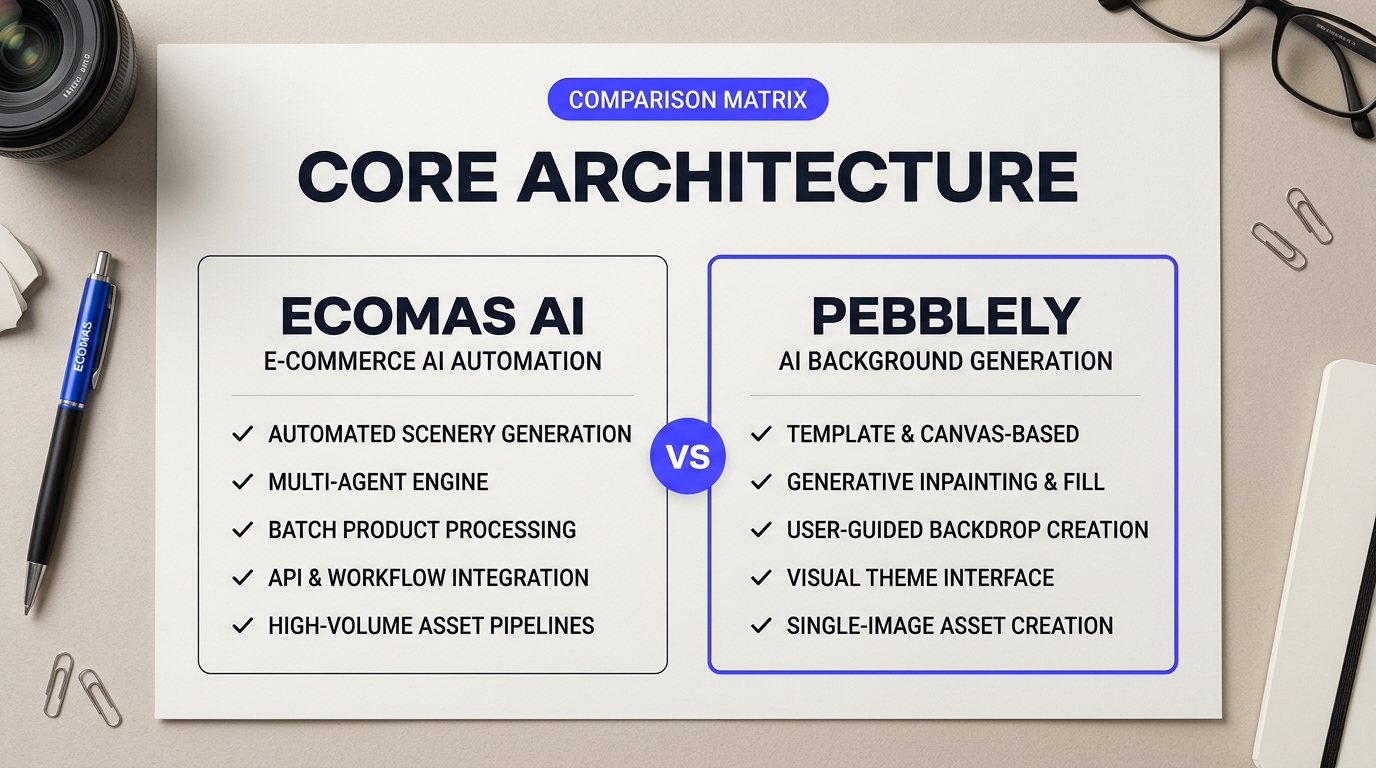
Every photo software reflects the team that built it. When you compare ecomas ai vs pebblely, you quickly realize they view product photography through two completely different lenses. One acts like an artist's digital studio. The other operates like an automated factory line.
Design Philosophy in Ecomas AI vs Pebblely
Pebblely treats every product image as a single piece of creative content. You upload an isolated product cutout, place it on an interactive canvas, and tell the system what environment to imagine around it. It feels closer to creative staging software like Flair AI or Photoroom. You get instant presets like "Studio," "Cafe," or "Nature," along with a custom prompt box. You move the bottle or sneaker around the frame. You generate four variations at a time, pick the best one, and touch up rough edges with an eraser brush. It gives creative power to people who don't know how to stage physical photo shoots.
Ecomas AI throws out the canvas-first concept entirely. It approaches visual commerce from an operational angle. Instead of treating your product like an art project, it treats your images as structured database assets. You don't spend ten minutes adjusting lighting prompts on a single perfume bottle. Instead, you define visual rules once, upload your inventory, and let the software render uniform angles across dozens of items.
| Architectural Dimension | Pebblely | Ecomas AI |
|---|---|---|
| Core Metaphor | Interactive creative studio | Automated production pipeline |
| Input Paradigm | Single-item canvas manipulation | SKU-based rule sets |
| Primary Workflow | Generate, prompt, refine, export | Upload inventory, apply template, batch render |
| Ideal Store Profile | Solo dropshippers, boutique brands | Catalog managers, high-volume merchants |
This split matters when you look at setup friction. As noted in discussions on e-commerce product image rendering benchmarks, many sellers get frustrated when manual workflows fail to scale past ten products. If you run a one-product Shopify store or test viral items on TikTok, Pebblely feels natural. It lets you produce eye-catching lifestyle imagery for hero banners in seconds. You don't need tutorials to get started.
Catalog managers run into walls with that approach. Imagine clicking, positioning, prompting, and downloading one thousand SKU variants by hand. You'd burn out before lunchtime. Ecomas AI is built to avoid that exact fatigue. Its architecture links directly to your catalog taxonomy, pulling product titles, tags, and transparent PNGs directly into standardized rendering queues.
"Pebblely is where I go when I need three scroll-stopping Instagram ads before dinner. Ecomas AI is what I turn on when our brand acquires three hundred new items and my website grid needs to look uniform by Monday morning."
The choice between these foundations comes down to your daily bottleneck. Solo creators need inspiration, surprise variations, and simple point-and-click tools to make an ugly supplier photo look premium. Established retailers care much more about visual guardrails, fast turnaround, and zero style drift. Understanding that core divide makes evaluating the rest of the ecomas ai vs pebblely feature set straightforward.
Ecomas AI vs Pebblely: Image Realism, Edge Blending, and Lighting Accuracy
A glossy background won't save a product image if the product looks like a cardboard cutout pasted on top. When store owners test AI image generation, the main flaw rarely comes from the background prompt. It comes from tiny visual disconnects around the product's border, mismatched light directions, and missing contact shadows. In head-to-head testing of ecomas ai vs pebblely, these three variables determine whether an image actually drives sales or gets flagged as cheap AI art by shoppers.
Evaluating Edge Separation in Ecomas AI vs Pebblely Workflows
Every automated product photo starts with subject isolation. Think of this step like cutting a picture out of a magazine. If you use blunt safety scissors, you leave jagged edges and slivers of the old background. If you use a surgical scalpel, the cut is razor-sharp. AI tools use computer vision models to perform this cutout automatically before dropping your product into a newly generated scene.
Pebblely approaches background extraction through an automated mask that favors clean, hard-surface objects. Put a square perfume carton or a solid plastic cosmetic bottle into Pebblely, and it carves out the shape with minimal fringe. Put a clear glass beverage bottle or a product with loose textile threads into it, however, and the tool often struggles. It can clip away glass bevels or leave an awkward gray rim where ambient studio light was trapped in the original photo.
Ecomas AI focuses heavily on automated edge feathering and pixel preservation around difficult contours. In side-by-side catalog tests of ecomas ai vs pebblely, Ecomas does a better job preserving translucent materials and semi-reflective edges. It softens the boundary pixels slightly so the new scene can peek through transparent glass naturally, avoiding the harsh halo effect that plagues simpler diffusion pipelines.
"The hardest part about automated product sets isn't the backdrop—it's how the software handles the contact point where the bottle hits the table," shared one brand director during an e-commerce discussion on rendering quality. "If the contact shadow isn't pitch-perfect, the product floats."
Shadow Realism and Ambient Light Spill
Lighting accuracy separates entry-level image tools from production-ready visual engines. In photography, light bounces. If you place a white ceramic mug on a dark mahogany table in direct sunlight, the underside of the mug will absorb warm brown tones from the wood. This optical trick is known as color bounce, or light spill. Tools that ignore light bounce leave products looking like they belong in a completely different room than their surroundings.
Pebblely builds its scenes by generating lighting around the masked subject. It calculates directional light reasonably well for standard flat-lay styles and frontal studio setups. If your prompt specifies bright daylight on a marble counter, Pebblely creates matching highlights on the product's surface. Its main limitation shows up in ambient shadow depth. The shadow underneath the product can sometimes appear too diffuse, creating a faint floating look on darker textures.
Ecomas AI applies a tighter ambient occlusion pass directly at the base of the item. This pass creates that critical dark, tight shadow line where the object touches the ground. It also recalibrates the hue of your product slightly to reflect environmental colors. A metallic bottle cap will pick up subtle green highlights if you place it in a botanical bathroom setting. That subtle color harmonization makes the finished image look like a real photograph taken with a physical camera rather than a composite render.
| Visual Metric | Pebblely Output | Ecomas AI Output | Alternative Reference (Flair AI / Photoroom) |
|---|---|---|---|
| Edge Feathering | Sharp and clean on opaque boxes; prone to clipping fine details and glass rims. | Adaptive edge smoothing; handles semi-transparent glass and curved edges cleanly. | Photoroom offers exceptional cutout precision but often flattens depth. |
| Contact Shadows | Produces soft, diffused drop shadows that occasionally lack grounding. | Generates weighted ambient occlusion directly under the product base. | Flair AI allows manual shadow direction controls with slight prompt drift. |
| Environmental Color Spill | Conservative; preserves original product colors without much scene tinting. | Aggressive harmonization; reflects warm or cool room tones directly on borders. | Varies widely depending on the strength of your background prompt styling. |
Both platforms give small brands a noticeable speed boost over manual retouching in Photoshop. If your product lineup consists of simple, opaque goods like boxed vitamins, books, or solid packaging, Pebblely delivers fast, repeatable results without extra fuss. If your catalog includes glass bottles, metallic accents, or complex geometries that demand subtle color reflections and grounded shadows, Ecomas AI provides the tighter visual cohesion needed to win customer trust.
How Do They Handle High-Volume Catalogs and Batch Processing?
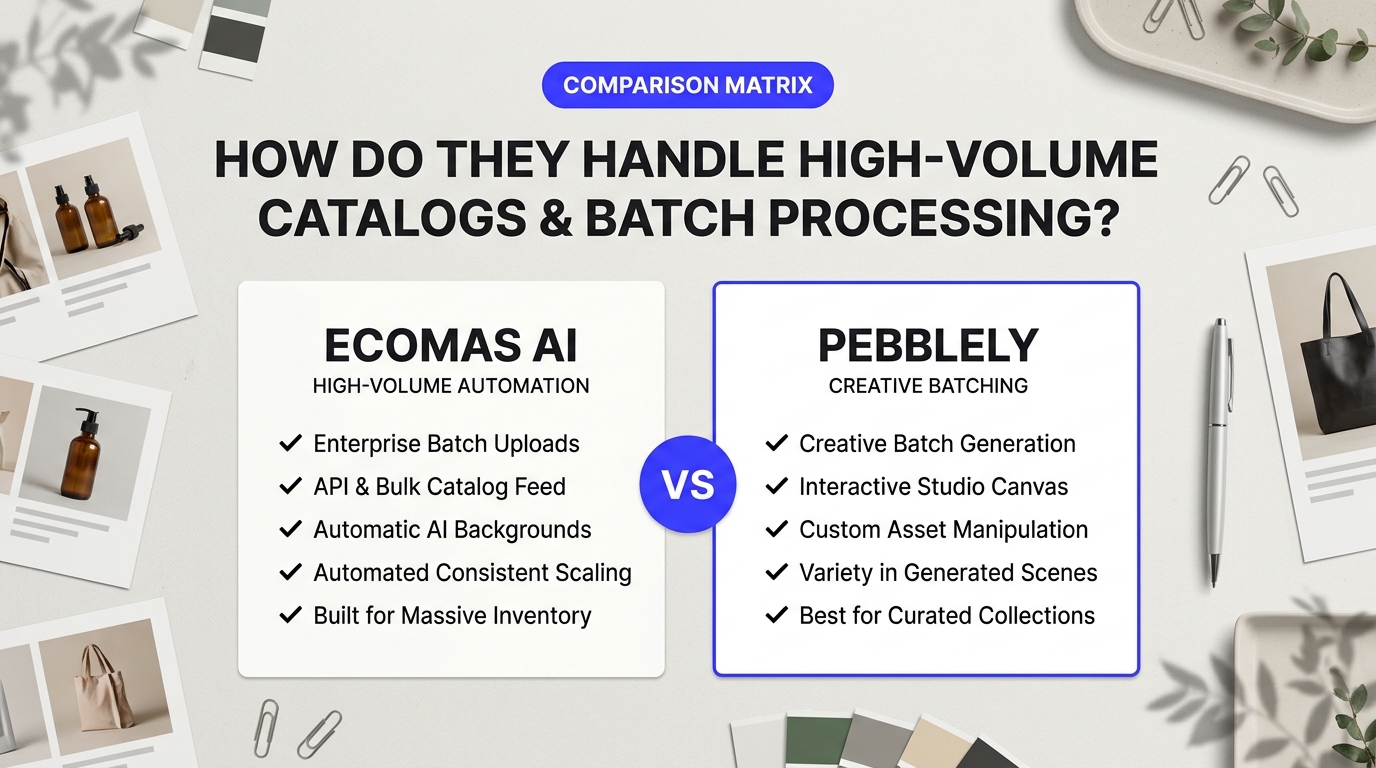
Catalog managers know the dread of a seasonal product drop. Dropping 300 new SKUs into an AI tool one by one will wreck your week. Typing prompts for hours leads to typos, fatigue, and mismatched backgrounds. If you run a high-volume storefront, you do not just need pretty pictures. You need a fast, reliable production line.
Generating product shots at scale exposes the cracks in most AI engines. Tools that produce stunning single images often choke when fed 50 variants of a water bottle. In a real-world evaluation of ecomas ai vs pebblely, catalog throughput comes down to three things: raw rendering speed, cross-angle scene matching, and batch automation that removes prompt re-entry entirely.
Ecomas AI vs Pebblely: Speed and Throughput Under Heavy Catalog Loads
Pebblely tackles volume through its dedicated batch generator. You pick a theme or type a custom prompt, upload a batch of product cutouts, and let the system render. A batch of 20 images usually finishes in two to three minutes. That is fast enough for weekly social media assets, but processing hundreds of SKUs reveals clear bottlenecks. You must manually group similar items, check each download, and re-run generations that drift off-brand.
Ecomas AI takes an e-commerce-first approach to queue management. Instead of treating every upload as an isolated canvas, it groups files around product IDs. You define your scene parameters once, lock your light sources, and feed an entire collection into the pipeline. The tool renders variations across different angles while keeping the setting uniform.
| Workflow Metric | Pebblely Batch Mode | Ecomas AI Catalog Flow |
|---|---|---|
| Bulk Upload Limit | Capped by plan tier (typically 20–50 per run) | Multi-SKU folder and feed sync |
| Average Generation Time | 6–10 seconds per image | 5–8 seconds per image |
| Prompt Automation | Theme reuse across one batch run | Template presets tied to SKU categories |
| Multi-Angle Cohesion | Variable (regenerates scene per shot) | High (matches environment and perspective) |
Multi-Angle Asset Management: Front, Side, and Detail Shots
A single product listing rarely relies on one image. Online shoppers expect a front view, an angled perspective, and a close-up texture shot. This is where most creative platforms fall flat. In a Reddit ecommerce discussion on AI batch benchmarks, one merchant pointed out that running four angles of a ceramic mug through generic AI generated four completely different marble countertops. The surface veins, lighting direction, and reflections never matched.
Pebblely renders each image in isolation. Even if you use the same text prompt for three angles of the same shoe, the model invents a brand-new background for each image. The front shot might sit on polished oak in warm sunlight, while the side shot ends up on weathered pine under fluorescent glare. That works fine for lifestyle blog posts. It looks unprofessional on a clean Shopify product page.
Ecomas AI solves this with spatial awareness. When you group multiple shots under one SKU, the software locks down the background geometry. If your front-facing bottle casts a soft shadow to the left, the side view preserves that same light angle. You spend far less time tweaking mismatched photos in external editors.
Eliminating Manual Prompts for Large Inventories
Re-typing descriptions is the enemy of scale. If you sell 200 cosmetic items, typing "sitting on a clean travertine stone with soft morning light" 200 times is a waste of money. Tools like Photoroom handle simple batch cutouts quickly, but building lifestyle environments across large inventories demands smarter template engines.
"When you cross the 500-SKU threshold, prompt engineering becomes a technical debt. You need a system that maps image tags directly to background presets without human intervention."
Pebblely lets you save custom themes, which helps your team apply consistent aesthetics across several uploads. You still need to manually apply those themes whenever you switch categories. Ecomas AI automates this by applying styling rules directly to your inventory metadata. Tag a group of items as "Skincare - Summer Launch," and the system applies the approved background style across every single SKU. This setup cuts manual input to zero once your templates are dialed in.
If your store manages hundreds of SKUs with multiple images per product, Ecomas AI delivers the catalog discipline you need. Pebblely remains a great pick for small batches and quick editorial assets, but its lack of multi-angle environmental locking makes broad catalog updates much harder to manage.
Customization Controls: Can You Reliably Maintain Brand Consistency?
Brand consistency makes or breaks online stores. If your hero shot features soft morning light on light oak, your gallery cannot suddenly jump to harsh neon shadows on dark slate. Buyers notice disjointed visuals instantly. It makes a catalog look cheap.
When comparing ecomas ai vs pebblely on pure creative control, the core difference boils down to whether you want instant push-button convenience or granular scene direction. Both tools tackle AI backdrops, but they give your creative director very different steering wheels.
Prompt Adherence and Creative Levers: Ecomas AI vs Pebblely
Pebblely builds its experience around speed and preset simplicity. Open the app, and you get immediate access to curated themes: "Cafe," "Kitchen," "Studio," "Nature," and seasonal sets. For quick lifestyle shots, these presets work wonders. You drop a perfume bottle into the Studio preset, and it delivers four clean variations in seconds. However, trouble starts when you step off the beaten path.
Pebblely lets you type custom prompts, but the underlying diffusion model treats complex text as a loose suggestion. If you ask for "a minimalist concrete slab on the left, empty warm wall on the right, no foliage," Pebblely often sneaks in a rogue potted plant anyway. It prefers filling empty canvas space with decorative objects.
Ecomas AI takes a more rigid stance toward prompt fidelity. It is built to keep the product as the hero and follow placement directions closely. If you specify lighting angle, surface texture, and compositional negative space, Ecomas AI respects those boundaries better. You spend less time rerolling outputs just to get rid of hallucinated background clutter.
As highlighted by Reddit e-commerce operators discussing workflow consistency, unpredictable props remain a major hurdle when trying to ditch traditional studio photography. Nobody wants to spend twenty minutes playing prompt lottery for a single catalog SKU.
| Creative Control Feature | Ecomas AI | Pebblely |
|---|---|---|
| Preset Themes | Focused studio and catalog setups | Broad lifestyle and seasonal library |
| Negative Prompting | Native field support to ban elements | Limited / relies on canvas inpainting |
| Reference Image Guiding | High style-lock adherence | Supported on paid plans via reference upload |
| Color Palette Rigidity | Reliable tone clamping | Vibrant, but prone to color drift |
Reference Images, Palettes, and Negative Prompting
How do both systems handle an existing brand book? That is where reference uploads and negative prompting enter the picture.
Think of negative prompts like a digital bouncer at your studio door. You tell the engine what is forbidden: "no yellow tones, no wooden surfaces, no harsh glare, no extra bottles." Ecomas AI gives you explicit negative prompt boxes. This gives experienced merchants a reliable way to strip out recurring artifacts. If the AI keeps trying to generate marble veining, you ban the word "marble" and move forward.
Pebblely handles revisions differently. Rather than fine-tuning complex negative text syntax, it encourages an interactive canvas approach. You generate a scene, and if an unwanted coffee cup appears in the corner, you use their brush tool to paint over it and re-render that specific patch. It feels intuitive, much like quick touch-ups in Photoroom or Canva. But when you are standardizing fifty items, painting out unwanted objects on every single render slows you down.
Matching brand colors remains a challenge for both platforms. Neither tool lets you punch in an exact HEX code like #2A4B7C and guarantees every pixel matches your palette. AI models mix light and shadows dynamically, which alters color values across surfaces. Ecomas AI manages tone drift better by allowing tighter style reference matching. You can upload a photo of your actual physical packaging or a mood board, and the system attempts to balance the ambient bounce light to fit those tones.
"If an AI photo tool changes your brand's signature pastel pink into hot magenta just to make the background 'pop,' it failed the assignment."
Pebblely offers reference image matching on its paid tiers. It copies the general atmosphere—like a sun-drenched breakfast table or a moody bathroom counter—remarkably well. Yet it sometimes overrides delicate secondary colors to produce a more dramatic image. If your brand relies on muted, earthy Scandinavian aesthetics, Pebblely can over-saturate the wood or boost sunlight contrast higher than you wanted.
For brands with strict visual guidelines, Ecomas AI offers firmer guardrails. Pebblely provides faster creative play and inspiring concepts, but keeping forty products visually uniform across a collection grid requires more patience and manual retouching.
Pricing Models and Credit Limits: Which Platform Delivers the Highest ROI?
A traditional studio photoshoot burns through cash fast. Between renting physical studio space, hiring product stylists, adjusting strobe lights, and paying an editor for clipping paths, a single product line launch can easily cost $1,500 to $4,000. That barrier makes AI-assisted product photography appealing for lean e-commerce operators. Sticker prices can be deceptive. A $19 subscription sounds like an absolute steal until half your monthly credits vanish on warped renders, low-resolution exports, or prompt mismatches you can't use.
When running a multi-channel store, true return on investment isn't determined by the total number of pictures an engine spits out. It comes down to cost per usable image. You need visual assets crisp enough for high-DPI product zoom on Shopify, Amazon compliance, and thumb-stopping paid social campaigns.
Crunching the Numbers: Ecomas AI vs Pebblely Breakdown
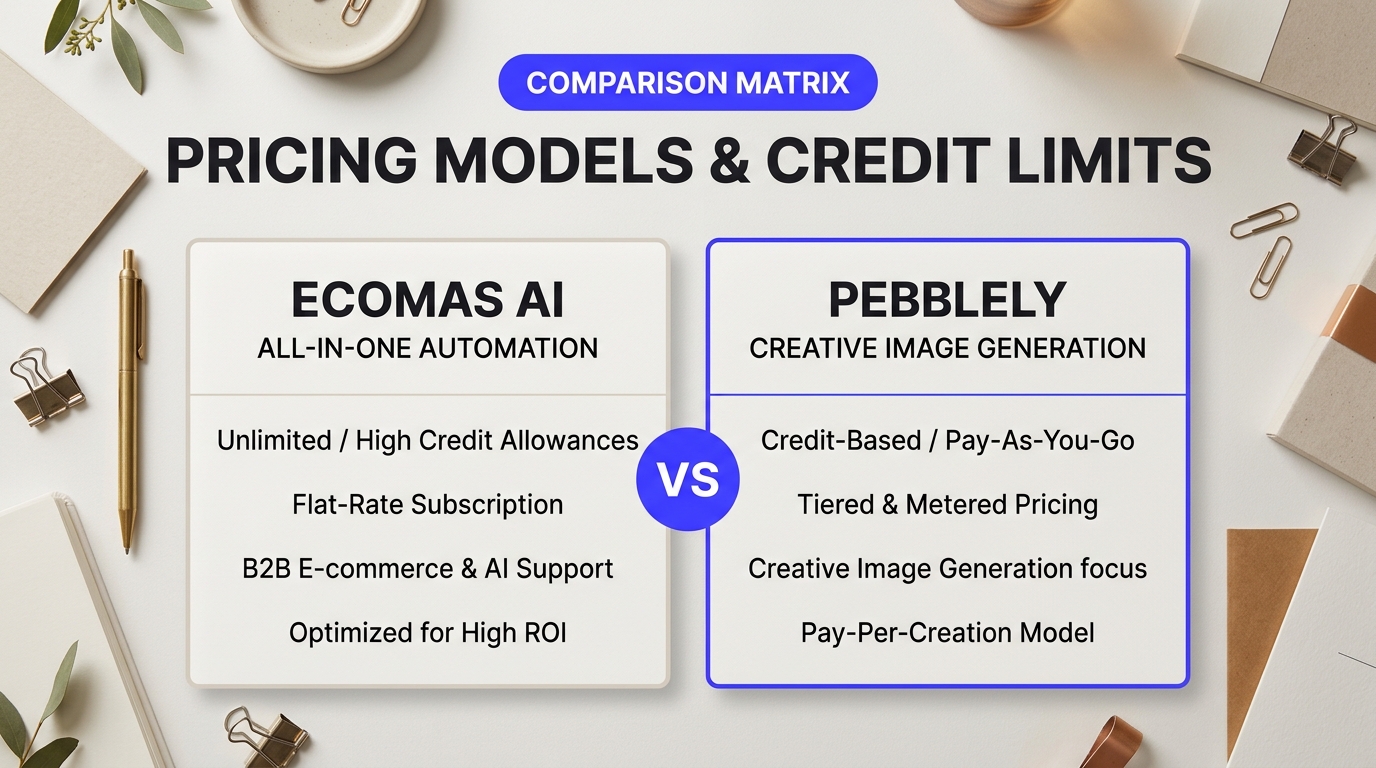
Pebblely relies heavily on a tiered subscription model with an accessible front door. Its entry-level free tier grants around 40 one-time credits to test pre-made themes. From there, Pebblely charges around $19 per month for its Basic plan (granting 1,000 generated images with custom dimensions up to 1024x1024) and $39 per month for its Pro tier, which unlocks unlimited image generation, custom background generation, and priority rendering queues.
Ecomas AI adopts an enterprise-lite, catalog-centric credit model. Rather than handing you a wide bucket of loose generations, Ecomas prices its plans around finished commercial assets. Entry plans typically start around $29 to $49 monthly, but the credits deduct differently. Where consumer tools charge you per roll, Ecomas often bundles multiple scene variations, multi-angle lighting passes, and native high-resolution assets into single-project workflows.
| Feature / Pricing Factor | Pebblely | Ecomas AI | Alternative: Photoroom |
|---|---|---|---|
| Starting Price | ~$19/month (Basic) | ~$29-$49/month (Starter tiers) | ~$12.99/month (Pro) |
| Base Export Resolution | 1024x1024 px (Basic) | 2048x2048 px native | 2048x2048 px HD |
| Credit Roll Mechanics | Deducts credits per 4-image grid attempt | Deducts per finalized export flow | Unlimited single cutouts & scenes |
| Upscaling Fees | High-res upscaling limited on entry plan | Native high-res output included | Included in Pro plan |
| Commercial Rights | Full ownership on paid plans | Full commercial license across all tiers | Full commercial license |
If you only compare the monthly billing invoice, Pebblely looks cheaper on paper. Ecomas AI often yields a lower effective cost per usable asset for brands running active catalogs. Why? The "reroll tax." When you ask an AI engine for a marble countertop with soft morning sunlight, you rarely pick the first rendering. If it takes five attempts to get the shadows right, a 1,000-credit bucket suddenly yields only 200 actual product shots.
"We burned through 400 credits in two afternoons trying to get our cosmetic bottles to sit flat without glowing halos," noted one store manager on Reddit discussions evaluating e-commerce AI benchmarks. "A cheap credit price means nothing if you have to throw away three out of every four files."
The Hidden Upscaling Tax and Usable Output Ratios
Resolution is where many merchants get caught off guard. Standard e-commerce templates on BigCommerce or Shopify recommend product photos at least 2048 pixels on the shortest side so desktop shoppers can inspect stitching, labels, and textures. Pebblely's entry plan caps base renders at 1024x1024 pixels. While fine for an Instagram story or a tiny catalog thumbnail, a 1024-pixel photo looks pixelated and cheap when enlarged on a 4K monitor. Upscaling those images to 2K or 4K often requires upgrading to a higher subscription tier or relying on separate sharpening software like Topaz Gigapixel.
Ecomas AI is built around product detail pages first. Its default render engine delivers sharper edge definition and higher native pixel counts out of the box. You don't have to bounce your images through secondary upscalers just to make the text on your product label legible. That saves you both processing time and extra tool subscription fees.
What about commercial rights? Both tools grant clear commercial licenses on paid tiers. You own your generated outputs and can use them across Amazon stores, print collateral, or paid social campaigns without royalty disputes. Pebblely's free tier, however, is strictly meant for sandbox testing. Never put free-tier watermarked images on live marketing pages; it looks amateur and violates platform terms.
If you run a boutique store with 10 to 20 SKUs and you enjoy tinkering with artistic prompts, Pebblely's $39 unlimited tier is hard to beat for experimentation. But if your team handles high-volume inventory updates where render consistency, accurate contact shadows, and marketplace-ready resolutions matter on the first try, the ecomas ai vs pebblely cost calculation swings quickly toward Ecomas AI. You spend less time babysitting prompt boxes and less money paying for discard piles.
How to Choose Between Ecomas AI and Pebblely for Your Specific Store
Choosing the right software comes down to how your store actually sells products. A brand pushing twenty new drops weekly on TikTok Shop needs a completely different engine than a boutique watchmaker selling three signature pieces. When pitting ecomas ai vs pebblely, you aren't just comparing rendering engines; you're deciding how much manual control you want to trade for automated speed.
Every commercial catalog has unique pain points. Some founders need raw output volume, while others obsess over whether a glass bottle casts an accurate reflection on marble. Let's look at how both platforms perform across real-world retail workflows.
Decision Framework: Ecomas AI vs Pebblely Across Store Formats
1. Fast-Turnaround Social Media Creatives & Paid Ads
Speed wins on social feeds. If you need 40 ad variations of an energy drink placed on a beach, kitchen counter, or gym bench within ten minutes, Pebblely handles the volume with ease. It operates like an instant digital photo booth. You drop an isolated asset into pre-built themes like "Cafe", "Nature", or "Studio", and it returns vibrant compositions ready for Instagram Stories or Meta feed tests. For performance marketers who retire creatives after 72 hours, rapid iteration matters much more than sub-pixel shadow fidelity.
2. Print-on-Demand (POD) & High-SKU Marketplaces
Catalog consistency makes or breaks an Etsy or Amazon store. When shoppers scroll your listing grid, wild perspective shifts look amateur. Merchants in r/ecommerce discussions on rendering speed and consistency often complain that general generative tools introduce random lighting angles across matching product lines. Ecomas AI tackles this problem by standardizing background perspectives and contact shadows across multi-SKU batches. If your catalog holds 300 apparel variants, maintaining uniform framing saves dozens of editing hours.
3. Luxury DTC Branding & High-Ticket Goods
High-end buyers spot fake lighting immediately. When selling fine jewelry, luxury serums, or bespoke leather goods, cheap edge haloing ruins buyer trust. Ecomas AI focuses heavily on directional realism, surface reflections, and physically grounded edge blending. It calculates how light passes through transparent materials rather than just stamping a flat glow around the cutout. Pebblely can produce stunning, stylized lifestyle shots, but luxury brands often require the subtle depth-of-field control that Ecomas AI prioritizes.
| Store Type | Primary Requirement | Recommended Tool | Key Trade-Off |
|---|---|---|---|
| DTC Luxury & Cosmetics | Realistic edge blending, glass refractions | Ecomas AI | Requires more thoughtful prompting and fine-tuning |
| Dropshipping & Fast Fashion | Fast variations, thematic templates | Pebblely | Less control over fine shadow mechanics |
| Print-on-Demand (Etsy / Shopify) | Uniform camera angles across batches | Ecomas AI | Higher generation credits per high-res render |
| Social-First Consumer Brands | Rapid lifestyle mockups for ad testing | Pebblely | Backgrounds can feel slightly generic over time |
Evaluating Third-Party Alternatives and Practical Workflows
What if your store doesn't fit neatly into either box? Consider how alternative platforms solve adjacent problems. Photoroom remains the gold standard for mobile-first sellers who need lightning-fast background removal right from an iPhone, making it a great companion for thrifters and boutique vintage shops. On the other end of the spectrum, Flair.ai provides an interactive canvas where you can place 3D digital props by hand before generating the final scene.
If your team wants to manually place where a slice of lemon sits next to your bottle, Flair.ai offers that tactile spatial control. But if you want automated environments without spending twenty minutes arranging digital props, the matchup between ecomas ai vs pebblely remains the central choice for commercial stores.
"The best tool isn't the one with the most creative prompts. It's the one that lets your catalog look like it was shot in the same studio on the same afternoon."
Use this simple checklist to finalize your choice:
- Choose Pebblely if you run lean, produce lots of social media ads, and want fast, pretty scenes straight out of the box without mastering complex prompt parameters.
- Choose Ecomas AI if you run an established DTC storefront where photorealism, shadow accuracy, and catalog uniformity directly protect your conversion rates.
Final Assessment: Selecting the Right Visual Commerce Engine for Growth
The Bottom Line: Ecomas AI vs Pebblely for Modern Retailers
Choosing between these platforms comes down to how your brand creates and ships visual assets. Product photography shifted fast from multi-thousand-dollar studio rentals to browser-based generation. If you run a fast-paced DTC storefront needing punchy social promos and varied lifestyle backgrounds on demand, Pebblely shines with its effortless scene staging and accessible aesthetic templates. Teams managing hundreds of SKU variants often run into a wall when relying strictly on generic creative presets. That is where Ecomas AI carves out its advantage. It gives operators tighter control over cast shadows, surface reflections, and edge geometry across large product batches.
Brand managers often ask whether generative visual platforms can genuinely displace manual studio workflows. A recurring question in an e-commerce community discussion on AI photography benchmarks centers on consistency: do you spend more time fixing botched renders than you save on physical shoots? The reality is nuanced. Neither engine completely removes the human eye from quality control. Pebblely acts like a creative director brainstorming lifestyle backdrops in seconds. Ecomas AI behaves more like an automated technical darkroom that locks down light matching across bulk product feeds.
Don't ignore the broader market when weighing your options. Platforms like Flair AI offer granular canvas controls for hands-on art direction, while Photoroom remains a dependable workhorse for quick mobile cutouts. When measuring the direct battle of ecomas ai vs pebblely, your final choice rests on catalog scale and technical precision versus rapid lifestyle experimentation.
Generative tools don't fix bad source assets. They act like magnifying glasses, multiplying the quality—or flaws—of whatever cutouts you feed them.
Never feed blurry smartphone snaps into an AI pipeline and expect luxury hero banners. Start with crisp packshots taken under clean, balanced lighting. Run a pilot batch through both tools using your most reflective products, such as amber glass dropper bottles or polished chrome hardware. Watch how each tool anchors contact shadows against tabletop surfaces. If the shadows look like floating stickers, adjust your lighting prompts or rethink your workflow.
Visual commerce moves fast. Customer standards rise every week. Winning brands won't rely on completely hands-off automation, nor will they burn cash on physical studio sets for every seasonal SKU refresh. Test small credit tiers before committing to large annual commitments. Pick the photo engine that cuts your post-production touchup time, integrate it into your listing routine, and let your catalog scale without the traditional production bottlenecks.